Watchguard Firebox M400/M500
-
@jriofrio this would solve rebooting issue FOR haswell refresh(basically unsupported cpu for this board)...if you have issues with original cpu,it is probably different issue...just a warning,it is tested just on mine board,which is not netgate(but i used this bios from here,and board is basically the same,so usual warnings)
-
@korenchkin .... No, I didn't have any issues with the original CPU. I installed the i5-4690 on it which is a Haswell refresh CPU. So how I can update to the me 9.5 in order to solve the rebooting issue?
Thanks for the followup... -
@korenchkin is this the bias file that is linked to above?
-
@chpalmer i think yes,i posted it shared from google drive,only change is me part,you can verify it yourself in binary compare,i think there is jumper that needs to switch for me flashing(not sure now)
-
Yeah it's posted here. I haven't tried it yet.
But I can confirm the v6mod bios with the default ME fails to reboot an i3-4160 still. And I believe that is a 'refresh' CPU.
-
@stephenw10 oh yeah,that is my post (i'm on my phone,so thanks for linking it),yeah,this should help..
-
@korenchkin .... I'm getting a little confused here... I installed the BIOS v6 included in the tinylinux and I do have the rebooting issue with the i5-4690 CPU... So is there another update BIOS with the updated ME 9.1 or 9.5 ?
Please clarify this.....
If there is a update it bios , with the updated ME 9.5 where I could find it...
Thanks and sorry for the confusion.... -
@jriofrio it was a long time ago,so i misremembered the numbers,it is 9.1 you need,and it is not bios(read about intel me,caution,lots of conspiracy,but is it conspiracy?),but it is in bios chip(nand/nor flash),so similar tools,and linked my post one or two posts above this how to update
-
@korenchkin ...thanks for the reply.... I have a question, i hope you or someone can answer it.
in this image (opnsense) there is this option (highlighted). Not sure IF is just an add-on in order to look and find a update to intell cpus or is an actual microcode update... anyway, please clarify.
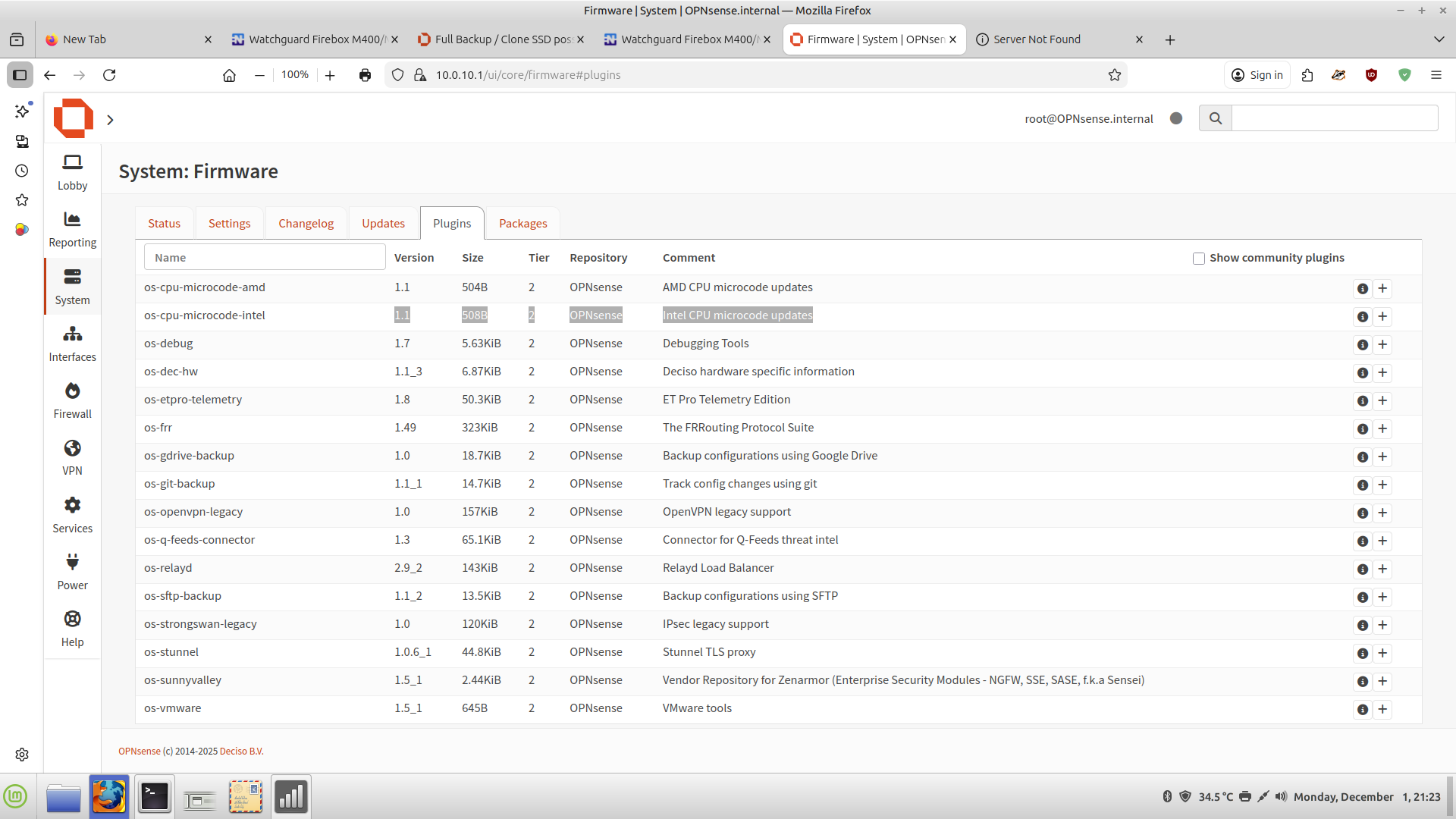
thank you
-
@jriofrio said in Watchguard Firebox M400/M500:
in this image (opnsense)
The OPNsense forum is a more sensible place to ask questions about an OPNsense package.
-
@jriofrio it is exactly what it is named,a microcode update,that updates in runtime cpu microcode,we don't need to talk about any specific solution,a microcode update in os does what the name says,updates usually old bios microcode(not sure where it resides,cpu dedicated memory for microcode maybe?),and it is lost on power off(or maybe cpu reset?)
If you want to play,you can update this microcode in bios using ami tools and won't need to run this in os...but it does not matter,i think this bios has latest microcode anyway...play with bios file,i think uefitool is a good start for reading that file -
@korenchkin ...alright thanks... I was thinking perhaps this plugin will do the job of updating the Me 9.1 code but no such luck.
I downloaded the files in your link. ... pardon my ignorance but, do i need to create a freedos boot usb flash drive and add the files to it and then boot the m400 then run the update as you stated it?
afuefix64.efi m400-91.rom /me
will that do it? -
Are you seeing it fail to reboot? Otherwise you don't need that.
-
@stephenw10 I think was yesterday that you asked me if it reboots ok.
so earlier today i reboot it through serial console and it hangs...
I used to just turn it off after i did some changes. i am waiting for a sata drive to arrive so it is not online just yet. I would like to solve all the issues before goes online.
hope the update of the Me 9.1 goes well too. -
@jriofrio this is efi shell,it just needs filesystem...it should pick up the right file...i think...for efi there is no mbr/boot sector...bios should know the name of the file to load(and be set to boot uefi,hopefully default)...i'm not certain about mbr/gpt partition table,windows uefi needs gpt,but here i probably didn't overthink it and it just booted...just try and see (and google for uefi flash boot/uefi shell,if something does not work right)
-
@korenchkin .... Alright, thank you very much for the clarification, it really did help.
I did the flashing and tested it. I restart it by the serial console and the web interface, both worked as was hoping for.
A little reading with your comment about efi it help a lot.anyway, a quick question if i may. Before the flashing ME91, i was checking the bios and i saw that the image re-flash for the ME was disable, so i enable it, just in case.
Q: should i disable it back?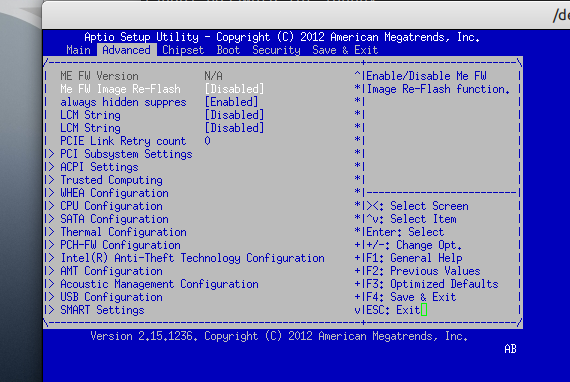
thanks one more time...
-
Normally you set that and it applies to the following boot only and will automatically go back to disabled.
Out of interest I found I didn't need to set that to update the ME. Moving the jumper was sufficient.