User rights - Edit NAT - No interfaces in list to choose from
-
Hello!
I have a probably very simple problem. I need my users to self-administrate their Netgate SG3100 to a certain extend, which includes creating a NAT on the WAN interface. The user inherits his rights from a group, which grants the access to NAT: Port Forward. In detail:- WebCfg - Firewall: NAT: Port Forward
- WebCfg - Firewall: NAT: Port Forward: Edit
In addition, the following privileges are also assigned:
- WebCfg - Dashboard (all)
- WebCfg - Diagnostics: ARP Table
- WebCfg - Diagnostics: DNS Lookup
- WebCfg - Diagnostics: Ping
- WebCfg - Diagnostics: Reboot System
- WebCfg - Diagnostics: System Activity
- WebCfg - Diagnostics: Test Port
- WebCfg - Services: DHCP Server
- WebCfg - Services: DHCP Server: Edit static mapping
- WebCfg - Services: DNS Forwarder
- WebCfg - Services: DNS Forwarder: Edit Domain Override
- WebCfg - Services: DNS Forwarder: Edit host
- WebCfg - Status: DHCP leases
- WebCfg - System: User Password Manager
Everything works fine except the Port Forwarding, as the user can't choose an interface because the list is empty. I also tried to fix this issue by assigning first only the 'Interfaces: WAN' privilege, later all privileges of the interfaces category. Sadly, I had no success with that.
The hardware is a Netgate SG3100 with pfSense v.2.4.4-RELEASE-p3 (arm).
Thank you in advance!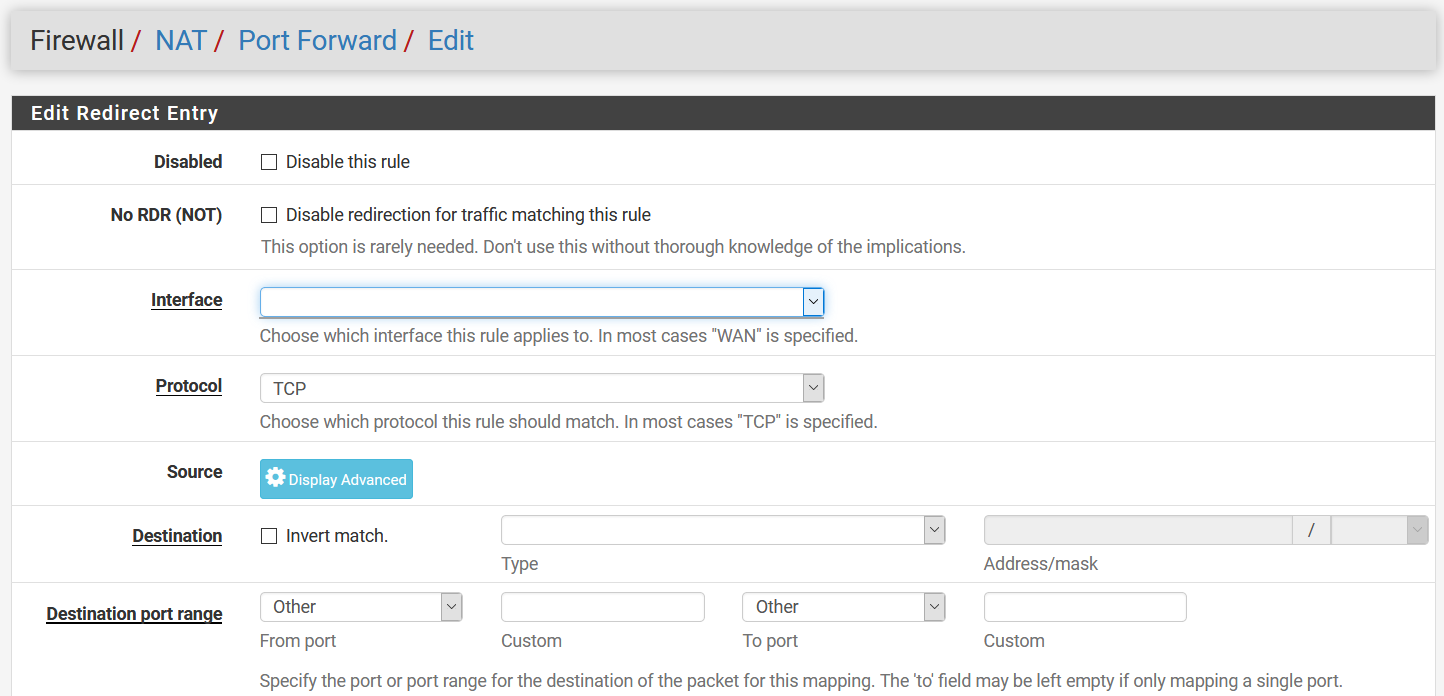
-
To be able to list all interfaces, the user should have access to Firewall > Rules page.
I had to look it up in the master manual : the scripts.Add :

and the interfaces show up on the NAT :: Add or Edit page(s).
This means the user has access to the firewall rules, maybe something you do not really want ...
-
Thank you!
You're right, firewall access is not ideal in this case. But it's necessary for us to let people manage their port forwarding rules, so this is a preliminary solution we can live with. I hope they change this behaviour in a future release.

Hello! It looks like you're interested in this conversation, but you don't have an account yet.
Getting fed up of having to scroll through the same posts each visit? When you register for an account, you'll always come back to exactly where you were before, and choose to be notified of new replies (either via email, or push notification). You'll also be able to save bookmarks and upvote posts to show your appreciation to other community members.
With your input, this post could be even better 💗
Register LoginPrivacy Policy · Cookie Policy