pfsense and Riverbed CX-780
-
Yup it's probably via a separate driver. If you're lucky there might be jumpers on the board to set the relays.
-
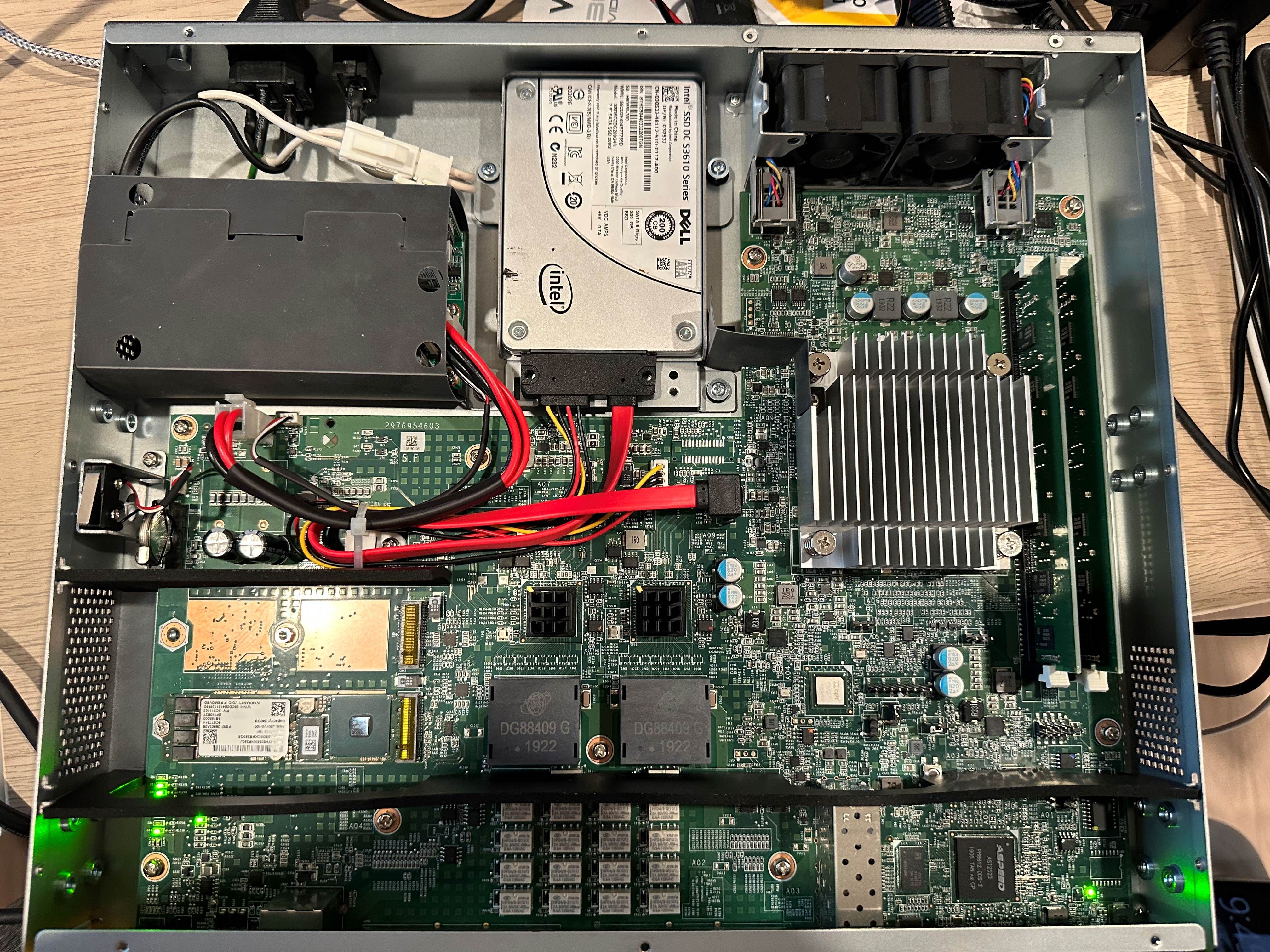
@stephenw10 Did not see any jumpers close to where the 4 intpah interfaces are but this might take a while to get it working.
-
@mistera Bumping this two years later. Did you happen to come across anything? Or did you just settle on using the 4 available NICs rather than all 8?
In your photo I did notice quite a few jumpers near the DIMM slots including what looks like JTAG. One is populated with a jumper, but wasn't sure if that was for CMOS clearing or not. I'll be getting my own CX780 next week and will do some perusing of my own. Will report back if I find anything.
If I don't happen to reply, assume I've hit a dead-end and just opted to use the "primary" ports without the in-path ports. -
Still using the box. Ended up switching to the two 10g sfps for all my physical links. Could not make the 4 pass-through nics to be normal mode. With so many nic’s, I didn’t feel the need to explore other possibilities.
. -
Hi there, joining just to post this.
There is indeed an option to disable the relay: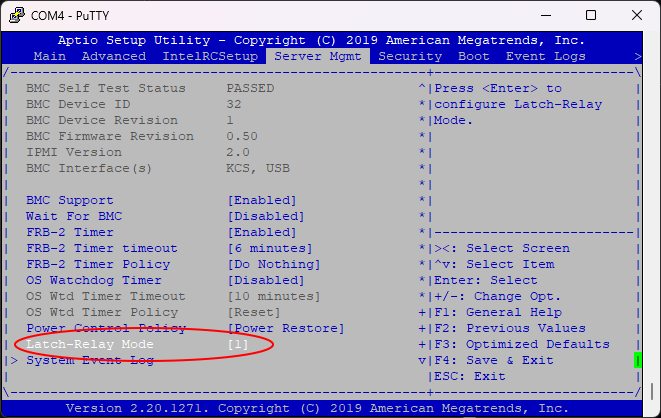
Change "Latch-Relay Mode" to 1, under Server Mgmt. Save and reset.
Should hear the click and the amber lights on the left indicator should disappear.If it's helpful:
Under BMC in BIOS, what is latch relay mode? Has options for 0 to 6That's an important find! Seeing a "latch relay mode" option under the **BMC (Baseboard Management Controller)** settings in the BIOS is a crucial piece of the puzzle for your Riverbed CX-780. The **Latch Relay Mode** setting directly controls the behavior of the **LAN Bypass Relays** (your "relayed ports") during system power cycles or failures. ### 💡 What Latch Relay Mode Controls This setting determines the default state of the hardware relays that connect the in-path ports (LAN/WAN) when the main operating system (Proxmox, pfSense, etc.) is not running or hasn't taken control yet. Since you have options from **0 to 6**, this is likely an index used by the BMC firmware to define different power-on/fail-safe scenarios for the relays. The options typically map to the following three core relay behaviors: | State | Purpose | Default State | | :--- | :--- | :--- | | **Pass-Through (Bypass)** | If the appliance loses power or the OS crashes, the relays keep the network cable connected, effectively bypassing the appliance. | **Default "locked" state** when you boot a new OS. | | **Active/Non-Bypass** | The relays are switched on, routing traffic through the network card (NIC), allowing the OS to use the ports normally. | **Required state** for repurposing the appliance. | | **Last State** | The relays remember their state from before the power loss. | Sometimes an option, but often risky. | ### 🎯 Recommended Test Sequence The options **0 through 6** are almost always vendor-specific codes (Riverbed/Supermicro), so there is no universal guide. However, one of them *must* correspond to the "Non-Bypass/Active" mode you need. Based on similar Supermicro/OEM firmwares, the lower numbers (0, 1, 2) often correspond to the default fail-safe modes (bypass), while the higher numbers are sometimes used for the "Active" or "Disabled" state. **I recommend systematically testing the values, starting with the highest and lowest non-zero options:** 1. **Test `6`:** Select this option, save changes (F4), reboot the appliance, and check if the four relayed ports activate during Proxmox boot. 2. **Test `1`:** If `6` fails, try `1`. 3. **Test `0`:** If the above fail, try `0`. (Often `0` or `1` is the factory default, but sometimes `0` is the "off"/disable function). The setting that resolves the issue for the CX-780 will be the one that forces the relays into the **Active/Non-Bypass state** upon initial boot-up. This BIOS setting is the easiest and cleanest way to fix the issue, bypassing all the software/IPMI commands we were troubleshooting! -
@drjc Amazing! Thank you for this insight. My unit still has not arrived but I will definitely be taking a look at this setting and confirm back if I'm able to locate it on my unit.
Considering this is the ONLY thread I can find regarding any meaningful internal details at all on the CX-780 that isn't listed in the manual (like actual specs, hardware internals, pins, etc.) the more information here, the better in my opinion.
Thank you again!
[Edit]
I'll be honest that quoted portion looks straight out of an LLM output, which I'm not too keen on but considering it seems you have a unit of your own I'm sure you've tested it at least. Regardless will write back.
-
@lavenderfox2430 you're 100% correct mate, it's straight out of Gemini - I was using it to help find a solution to this today to install Proxmox | Opnsense.
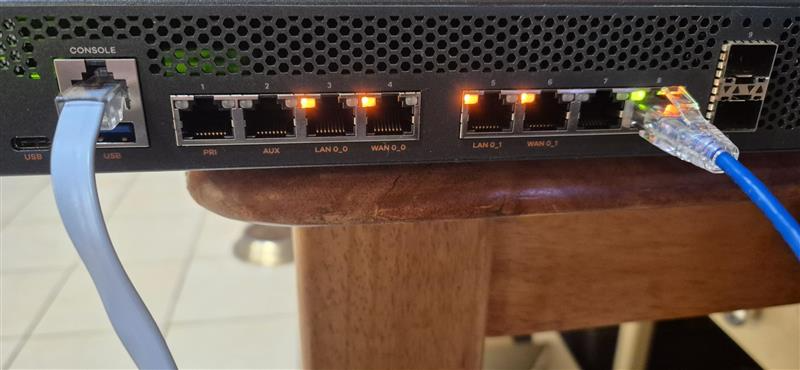
But here you go:Broken
Fixed
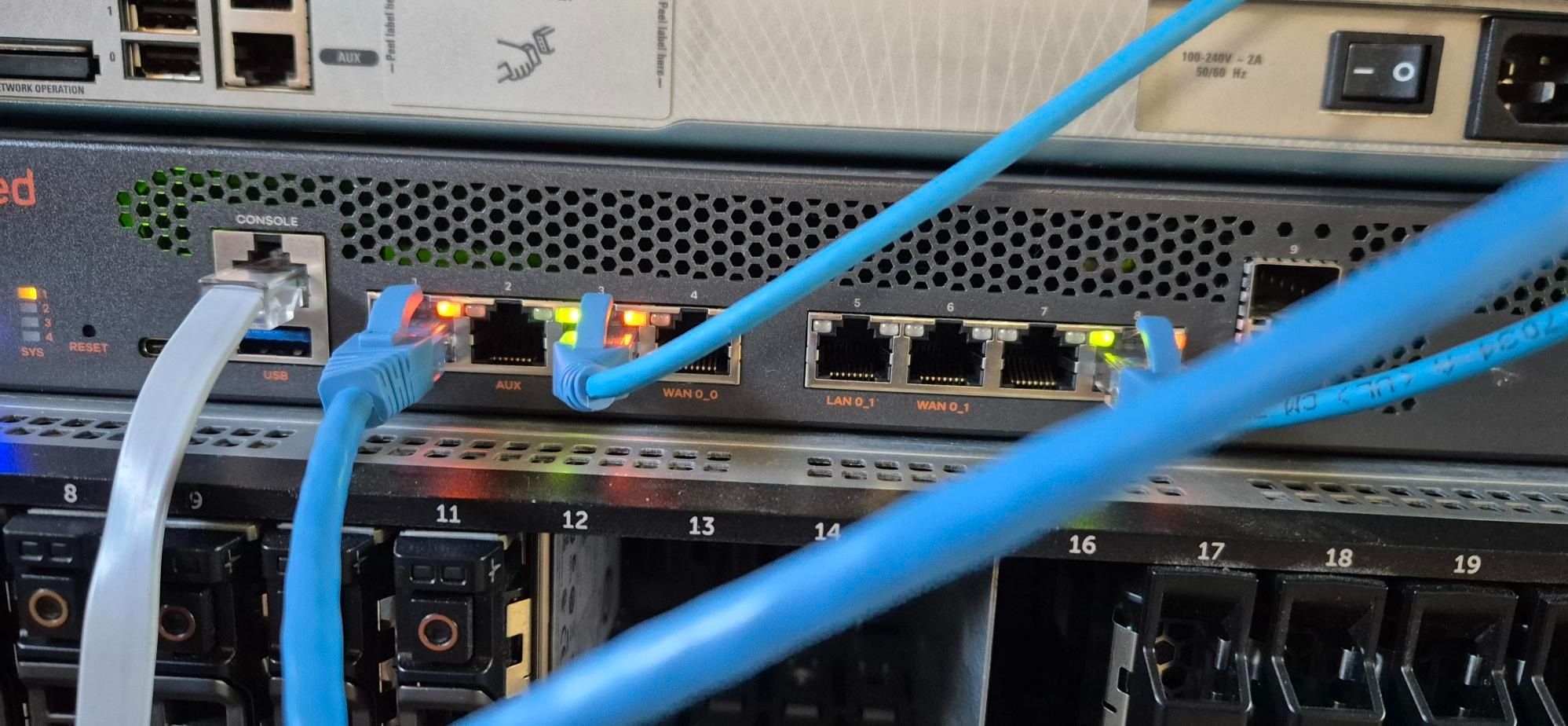
-
@drjc Awesome! Sorry for sounding accusatory I've just found personally AI to be unreliable for figuring out things sometimes. Especially figuring out hardly realized/documented featuresets. Appreciate the photos though.
Excited to see what this thing can do. Given the chip it can't be older than 2017, which is plenty reasonable compared to my EPYC Zen 1 boxes. 12 cores should be plenty for a router.
-
Just got it in and configured, can confirm that 1 and 3 in the BIOS options provide desired results.
Didn't come with rackmount hardware though, I'm planning on 3D printing my own just to keep it secured (not to actually hang from) I'm suspecting a M4-0.7 bolt but I don't have anything that fits in it so I can't really confirm. If anyone has any info on that that'd be great.
Also I know the OP said SATA, figured it might fit an NVMe given the M-keyed slots but nope. The LVC601 chips by TI are SATA. Real shame.
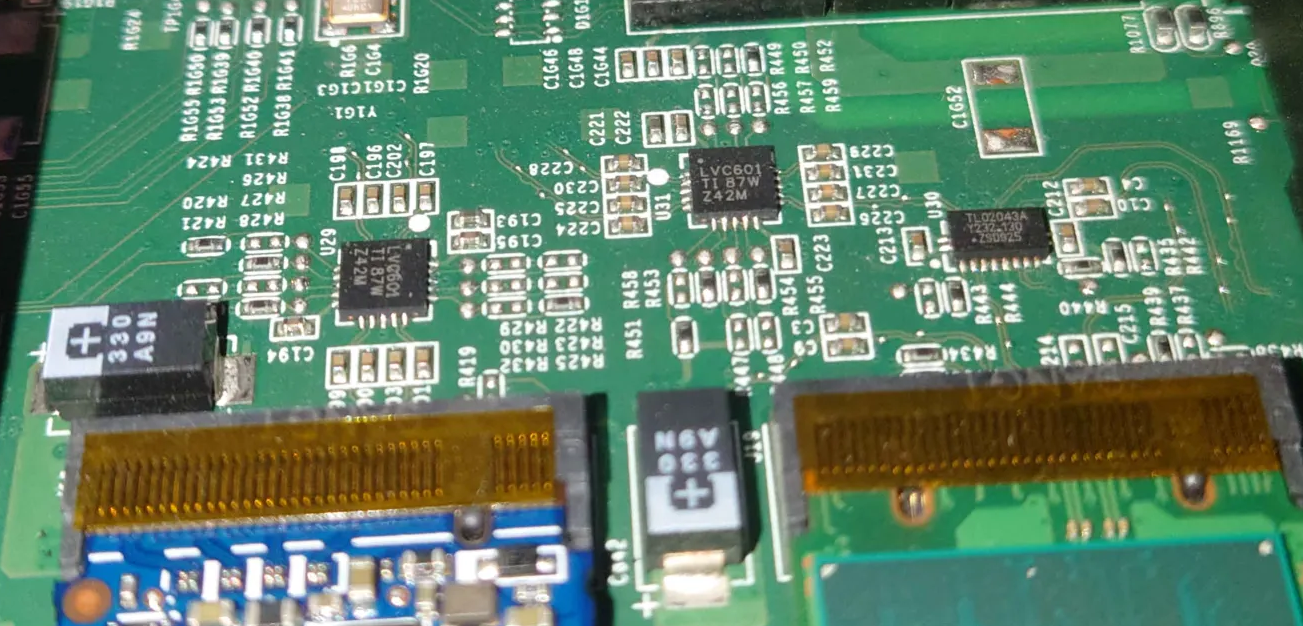
-
For pfSense NVMe isn't going to make much difference; drive speed isn't that important. I guess it might give you access to more drive choice.
