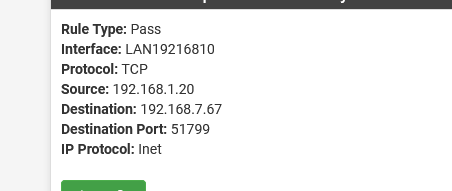
I am dying - HELP - Firewall fuck up
-
Hi everybody
I am dying (not slow, but rapidly) - not an adanced user, but a medium user -I have some firewall rules, basically, made an alias with the IPs and an alias with the Ports
But stil the firewall keeps blockingThen I, in a moment of weakness, used the "+" option in the logs, to allow the traffic - AND STILL - Pfsense is blocking the traffic
HELP - I am desperate !
the log says:
May 9 04:48:23 WAN Default deny rule IPv4 (1000000103) 172.58.110.191:37850 XXX.XXX.XX.166:5060 UDPBut, the firewall have this rule:
IPv4 TCP/UDP * * IPs behind firewall VoIP_public_ports * noneA other one is this one, even do everything is allowed

-
@mhank said in I am dying - HELP - Firewall fuck up:
the log says:
May 9 04:48:23 WAN Default deny rule IPv4 (1000000103) 172.58.110.191:37850 XXX.XXX.XX.166:5060 UDPThat's the default final (hidden) "block all traffic" rule.
That rule is applied when "none of the above" match the traffic.
The "none of the above" are the rule you created in the GUI.Like this :
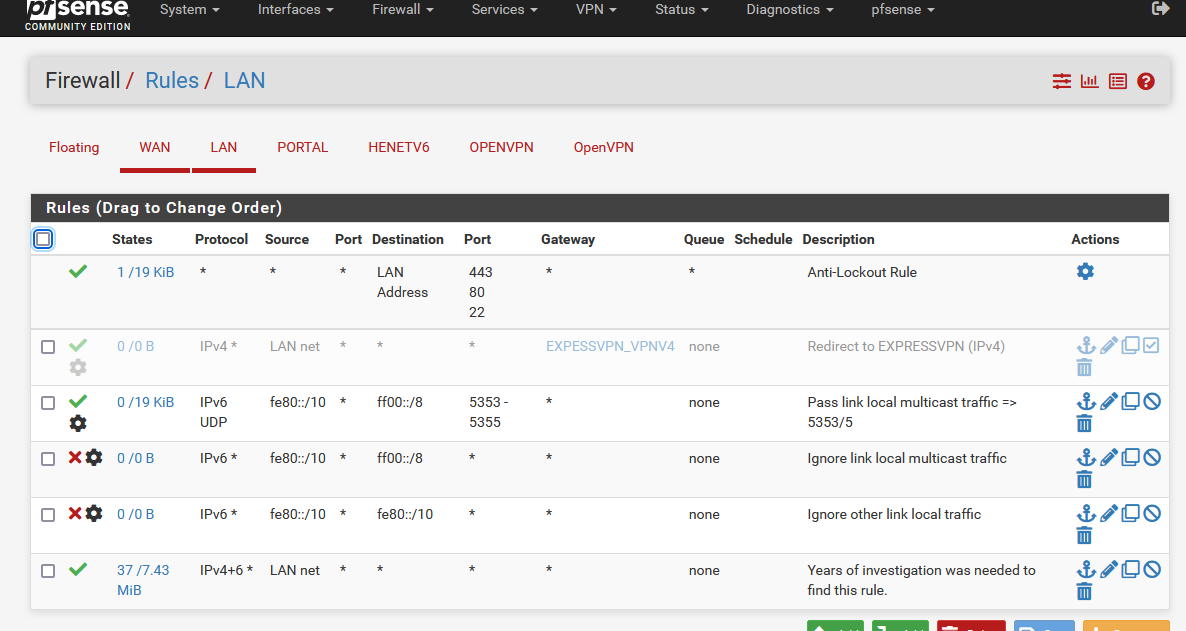
The last rule in my image is a "pass all" rule, pretty close to the rule you've found on LAN when you installed pfSense.
@mhank said in I am dying - HELP - Firewall fuck up:
IPs behind firewall
What IPs did you list in this alias ?

If 192.168.1.0/24 is your LAN, who is this network 192.168.8.0/24 ?
No traffic coming into "LAN19216810" was allowed to go to 192.168.8.0/24 so, yes, the default bock all rule was hit again == traffic blocked.
"LAN19216810" is your LAN, right ?Show the entire image, not just fragments.
-
@gertjan
i Do not follow, e..g. traffc between 192.168.1.0 and 192.168.8.0 are 2 different sites, connected via VPN.
The rule says
so how can that be blocking?
-
-
the 0/0B indicates the rule is not getting hit.
Did you reboot the box or reset the states after adding the rules?
Where did you define the rule, WAN, LAN, Floating?
Ordering of the rules is important.
The output of the command (ssh in, console or diag,command prompt from the gui):pfctl -sr
shows exactly how everything is applied and can be helpful.
-
@mer
I rebooted the box after applying the settings,
The rules are under "lan" and under WAN (depending on the traffic) -
@mhank said in I am dying - HELP - Firewall fuck up:
A other one is this one, even do everything is allowed
This blocked packet is "out of state", which indicates that the SYN packet went another path.
To investigate this you need to provide some more details about your network. How are the involved devices connected to pfSense? Which subnets do you have configured?
Maybe you have a network map. -
@viragomann I will try to explain as good as I can :)
We a PFsense HA setup -
We have the
WLAN IP
LAN IP
DMZ zones (public IPs)
IP SEC (to our other datacenters)Traffic to the PUBLIC IPs are routed through the firewall and to the correct server.
Server is routing back out with its public IPI hope that make sense?
For some reason, the firewall blocks packets that are allowed, and I can not figure out why
We have similar setup in two other datacenters thats works perfect -
@mhank
You initial post shows two blocks and one pass rule. The first one is UDP to port 5060 on WAN and the second one is a TCP to port 33233 with SA flag.
Since only the first one obviously should match to the shown firewall rule, we have to troubleshoot both separately.As you can see in the firewall log, the UDP rule doesn't match. So double-check your firewall rule. The parameter which have to match are: interface, address family, protocol, source IP + port, destination IP + port.
We sadly can verify only a view of them, since we cannot see all. So you have to check if it's on the proper interface and if the destination IP and port is included in these aliases.For the second block we need to know how the source and destination IPs are connected to pfSense. Presumably this is a request packet, so that the origin destination the packet went to IP is 192.168.8.11 and port 33233.
But as I stated above, it either went another route or the connection timed out. Without more details about your setup, it's pretty hard to say. -
@viragomann
Thank you for your replyI might be a litlle stupid here, but, if I look at the LAN and the rule is as below, I would say all LAN traffic would, pass is that correct?
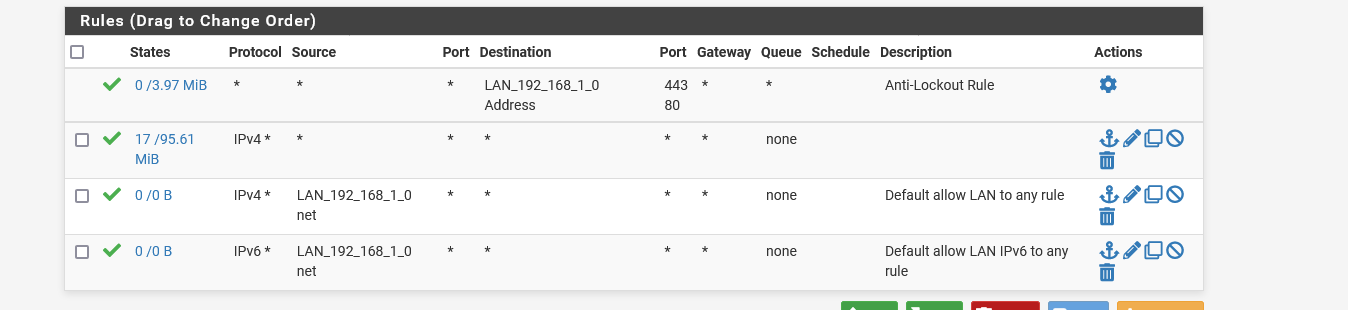
-
or this block:

even do, I have these two rules:
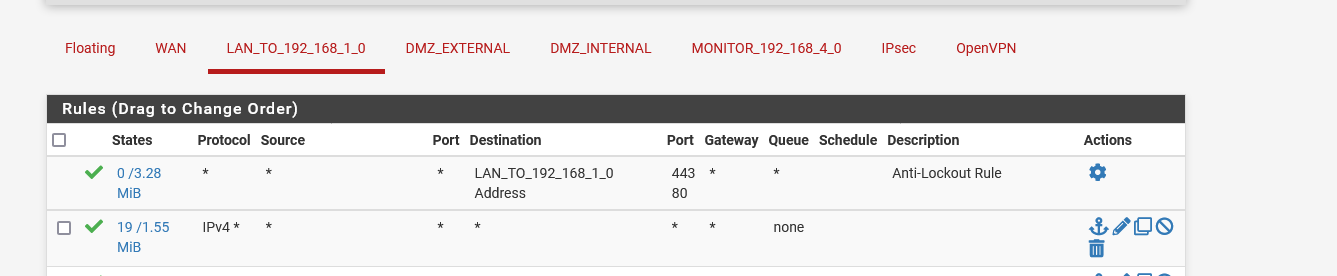

I am not anyway anexpert, but it is very hard for me to understand, why these blocks happen
-
@mhank
Again, the blocks you're seeing are out of state. The firewall rule only effects the initial SYN packet of a TCP connection. If the packet is passed, pfSense created a connection in its state table and all following packets of this connection are passed as well.
But your blocks doesn't show the SYN packet!So you've probably an asymmetric routing issue: https://docs.netgate.com/pfsense/en/latest/troubleshooting/firewall.html.
That means the SYN packet from the client didn't pass pfSense. So there is no connection created in its state table and hence the ACK from the server is blocked.Learn how TCP connections work: https://en.wikipedia.org/wiki/Transmission_Control_Protocol
-
@viragomann said in I am dying - HELP - Firewall fuck up:
So you've probably an asymmetric routing issue
That could be a possibility, @mhank says back up a couple they are running a PFSense HA setup.
I would think a bit more information on the HA part could help. That's assuming HA is High Availability.Are there multiple pfsense boxes acting redundantly?
Multiple WANs into a single pfSense box?