Netgate Discussion Forum
    • Categories
    • Recent
    • Tags
    • Popular
    • Search
    • Register
    • Login
    Introducing Netgate Nexus: Multi-Instance Management at Your Fingertips.

    Incorrect states on the firewall/rules page on my incoming openvpn

    Scheduled Pinned Locked Moved webGUI
    5 Posts 3 Posters 1.5k Views 3 Watching
    Loading More Posts
    • Oldest to Newest
    • Newest to Oldest
    • Most Votes
    Reply
    • Reply as topic
    Log in to reply
    This topic has been deleted. Only users with topic management privileges can see it.
    • N
      Nan0tEch
      last edited by

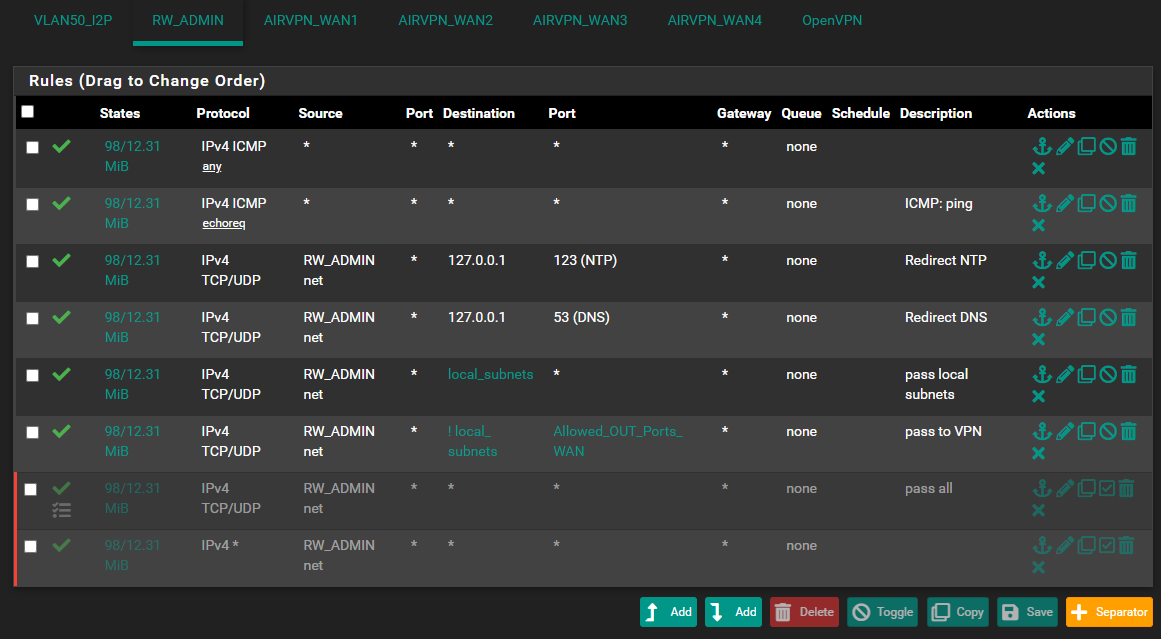
      All the firewall rules have the same states/bytes counter showing. This is my openvpn server for incoming connection. This behaviour was also seen on pfsense CE and pfsense plus edition.
      Firewall.png

      JonathanLeeJ 1 Reply Last reply
      Reply Quote 0
      • JonathanLeeJ
        JonathanLee @Nan0tEch
        last edited by

        @Nan0tEch I have an issue where if I was to add to my access control lists the list order gets all mixed up randomly.

        Make sure to upvote

        1 Reply Last reply
        Reply Quote 0
        • jimpJ
          jimp Rebel Alliance Developer Netgate
          last edited by

          If you duplicated those rules in a certain way they may have ended up with identical tracker IDs, which would make them appear to have the same data.

          https://redmine.pfsense.org/issues/13507

          This was fixed a while back but if your config has the bad data already it may need fixed by hand. (e.g. take a backup, edit the duplicate tracker ID values, then restore)

          Remember: Upvote with the 👍 button for any user/post you find to be helpful, informative, or deserving of recognition!

          Need help fast? Netgate Global Support!

          Do not Chat/PM for help!

          1 Reply Last reply
          Reply Quote 1
          • JonathanLeeJ
            JonathanLee
            last edited by

            Screenshot 2023-08-22 at 11.32.19 PM.png

            Screenshot 2023-08-22 at 11.33.28 PM.png
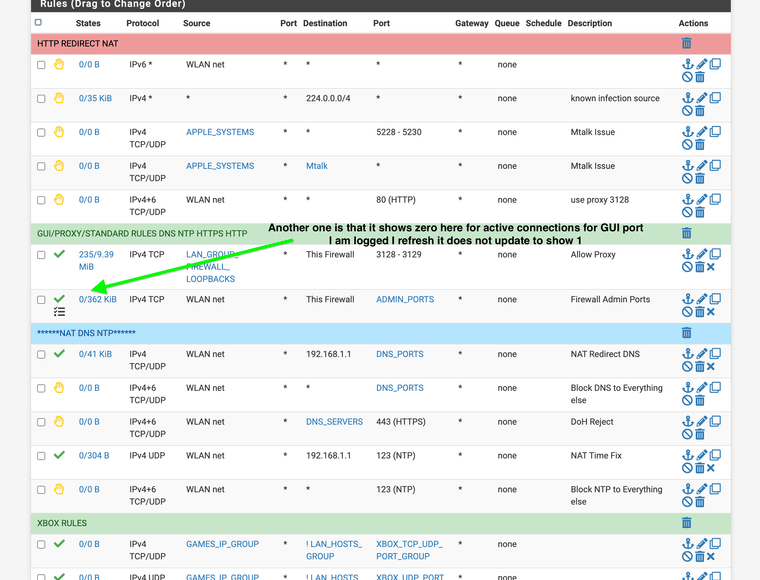
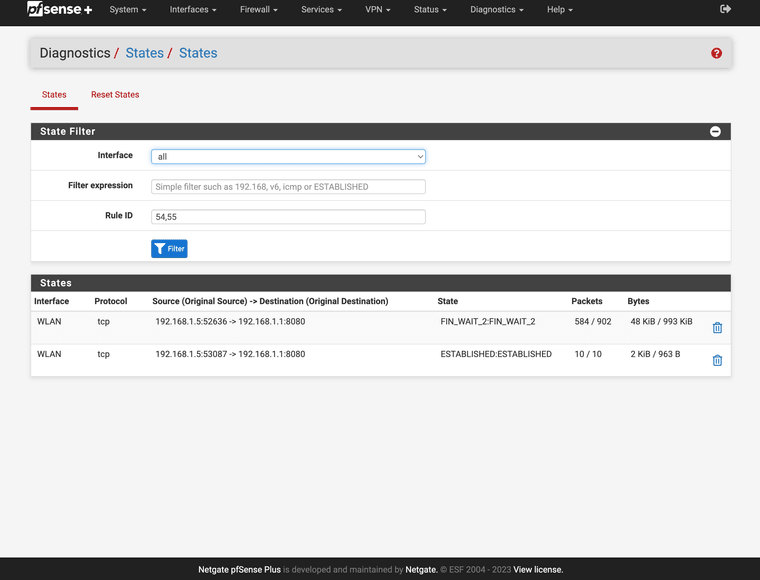
            I am logged in, again it shows two when I click on it. After some time it shows correctly. It does take a few before it corrects. It is working on mine just delayed.

            Make sure to upvote

            N 1 Reply Last reply
            Reply Quote 1
            • N
              Nan0tEch @JonathanLee
              last edited by

              @JonathanLee @jimp thx for your inputs, it was indeed the same trackerid on all the rules. i just copied and paste it on itself and deleted the old ones, now its working as expected.

              thx you guys

              1 Reply Last reply
              Reply Quote 1

              Hello! It looks like you're interested in this conversation, but you don't have an account yet.

              Getting fed up of having to scroll through the same posts each visit? When you register for an account, you'll always come back to exactly where you were before, and choose to be notified of new replies (either via email, or push notification). You'll also be able to save bookmarks and upvote posts to show your appreciation to other community members.

              With your input, this post could be even better 💗

              Register Login
              • First post
                Last post
              Copyright 2026 Rubicon Communications LLC (Netgate). All rights reserved.
              Privacy Policy · Cookie Policy