OpenVPN Windows 11 Installation Failed
-
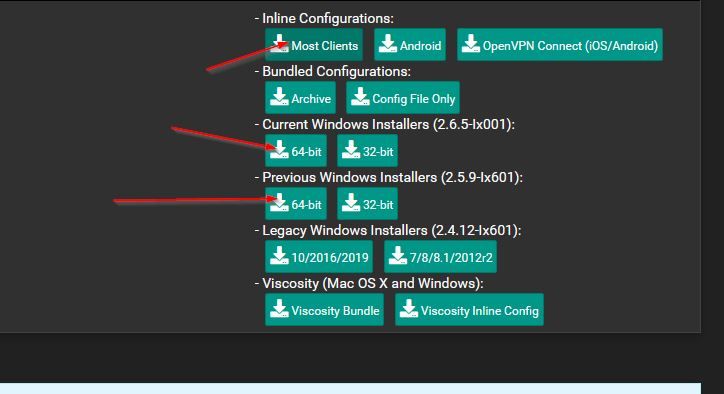
Ok I have gone to the client export and tried several installers and although they all install and I get an icon on my Dell Win 11 desktop, clicking on it does nothing? Tried these selections and the same happens each time. I installed on Android and it works great there so I know the VPN is working fine.
-
@oznet
The "current Windows installer 64 bit" should work for you.
To connect, right-click on the OpenVPN icon, hover over your connection name and select connect. -
@viragomann Ok I was trying to double click the main icon on the desktop but I see in the bottom right corner of the screen you can connect from there. Just weird that you would not use the main icon on the desktop seems kinda dumb IMO
-
I noticed the same thing on W10. With Linux, the VPN becomes just another item in the network manager.
-
The dropdown in taskbar is nice if you have multiple VPN's for different sites.


Hello! It looks like you're interested in this conversation, but you don't have an account yet.
Getting fed up of having to scroll through the same posts each visit? When you register for an account, you'll always come back to exactly where you were before, and choose to be notified of new replies (either via email, or push notification). You'll also be able to save bookmarks and upvote posts to show your appreciation to other community members.
With your input, this post could be even better 💗
Register LoginPrivacy Policy · Cookie Policy