Netgate Discussion Forum
    • Categories
    • Recent
    • Tags
    • Popular
    • Users
    • Search
    • Register
    • Login
    Introducing Netgate Nexus: Multi-Instance Management at Your Fingertips.

    Firewall Alias - Importing new Enteries

    Scheduled Pinned Locked Moved Firewalling
    3 Posts 3 Posters 500 Views 3 Watching
    Loading More Posts
    • Oldest to Newest
    • Newest to Oldest
    • Most Votes
    Reply
    • Reply as topic
    Log in to reply
    This topic has been deleted. Only users with topic management privileges can see it.
    • P Offline
      pfsense4ever
      last edited by

      Does anyone know how to import a bunch of new enteries (IP addresses) to an existing alias as in the GUI, you can only add one at a time?

      J 1 Reply Last reply Reply Quote 0
      • J Offline
        jrey @pfsense4ever
        last edited by jrey

        @pfsense4ever

        Check this
        https://forum.netgate.com/topic/181595/importing-ip-address-list-from-text-file

        edit: also this (in case you have a really long list)

        https://forum.netgate.com/topic/30227/my-own-long-list-of-alias-networks-how-to-import-from-txt-file

        Not sure if CE version has this functionality or not, but the plus version does.
        Located at the bottom of the Aliases / IP page,
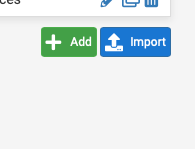
        Screen Shot 2023-10-28 at 1.53.10 PM.png

        SteveITSS 1 Reply Last reply Reply Quote 0
        • SteveITSS Offline
          SteveITS Galactic Empire @jrey
          last edited by

          If using that import button note there was a bad bug in 23.05 fixed in 23.05.1 (which would be in 2.7). It should exist on both.

          To upgrade, select your branch in System/Update/Update Settings. When upgrading, allow 10-15 minutes to reboot, or more depending on packages, CPU, and/or disk speed.
          Only install packages for your version of pfSense.
          Upvote 👍 helpful posts!

          1 Reply Last reply Reply Quote 0
          • First post
            Last post
          Copyright 2026 Rubicon Communications LLC (Netgate). All rights reserved.
          Privacy Policy · Cookie Policy