7100 VLAN port issue
-
Hi community,
I have followed this guide to create VLAN on my 7100
https://docs.netgate.com/pfsense/en/latest/solutions/xg-7100-1u/configuring-the-switch-ports.html#two-lan-switches
Port 1: WAN
port 2-6: Default VLAN - 4090
Port 7 & 8: office VLAN - 30VLAN added to interfaces
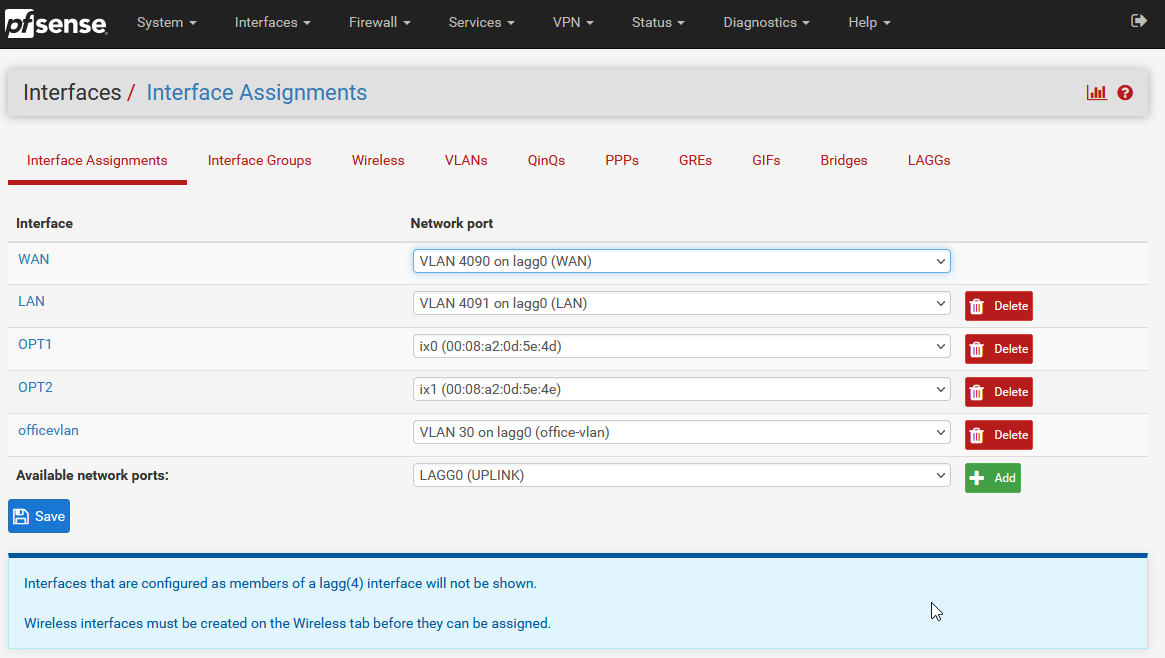
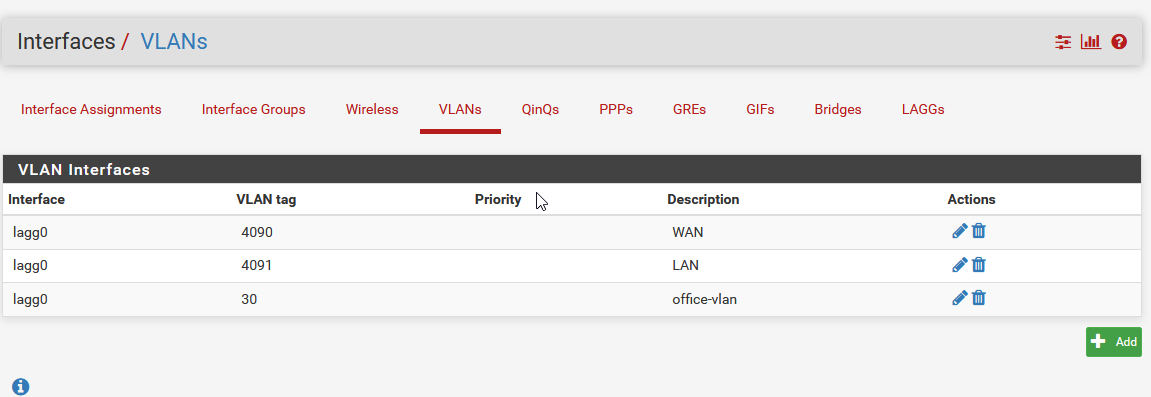
Vlan enabled
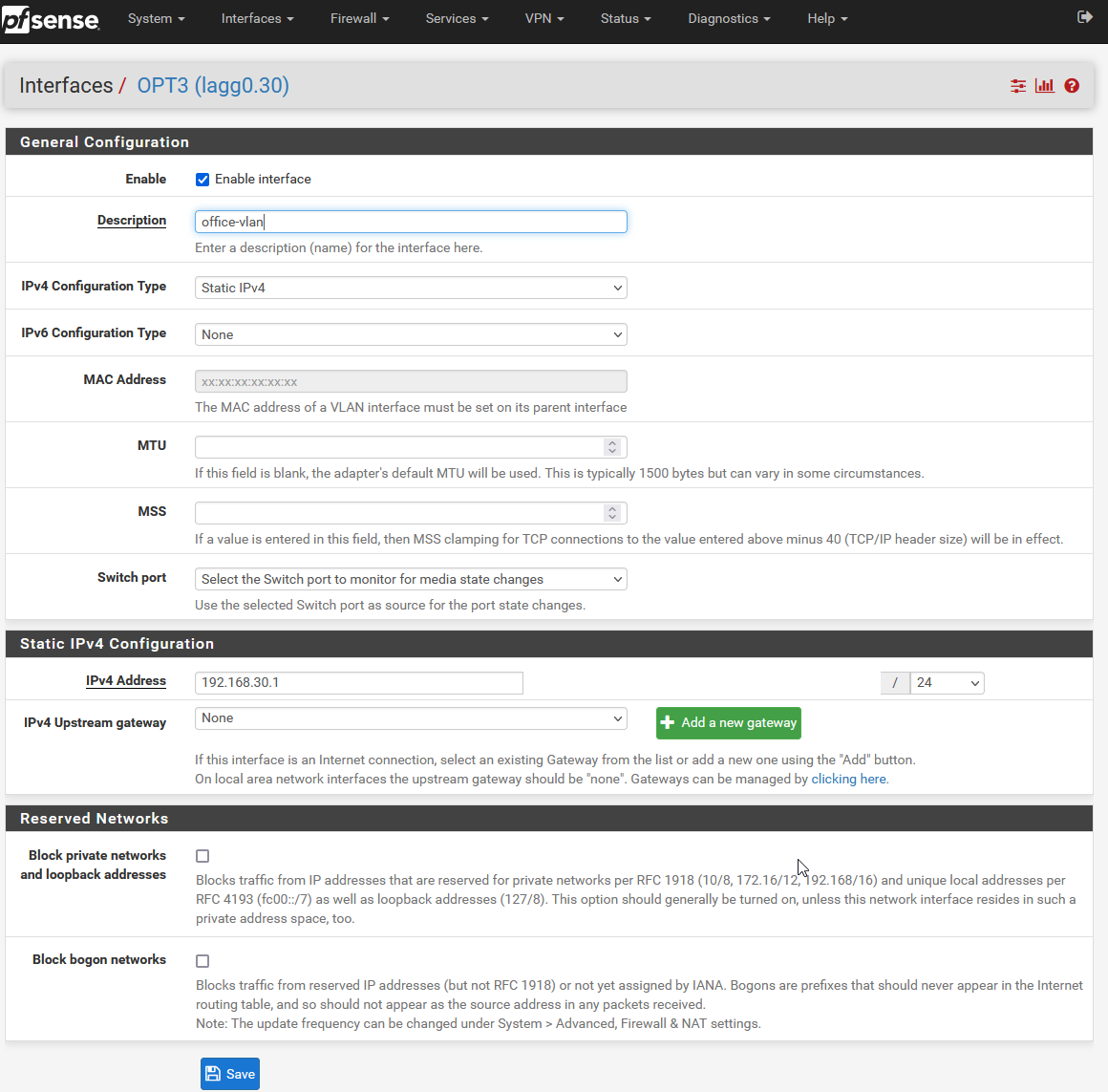
DHCP enabled
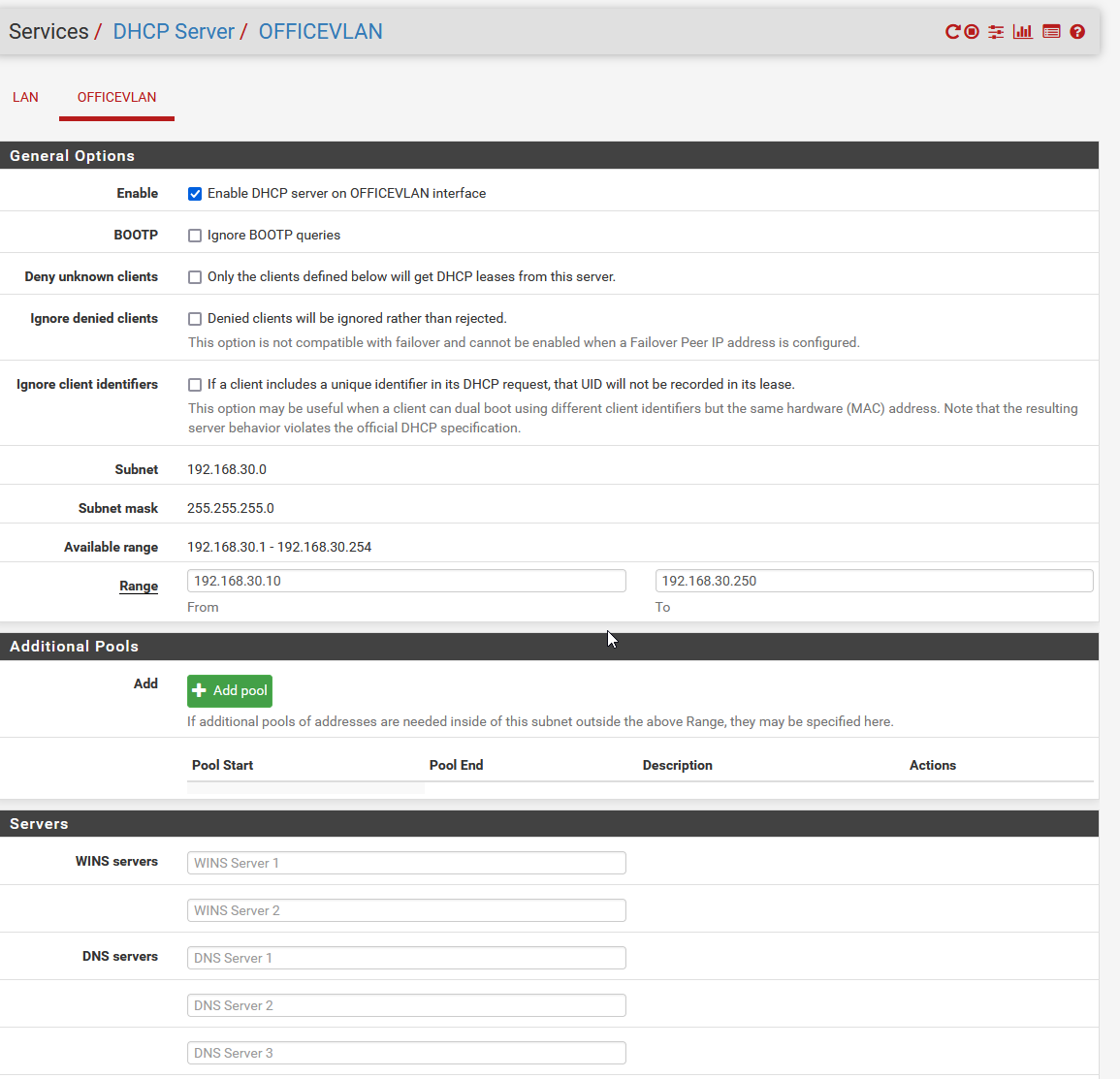
port configured
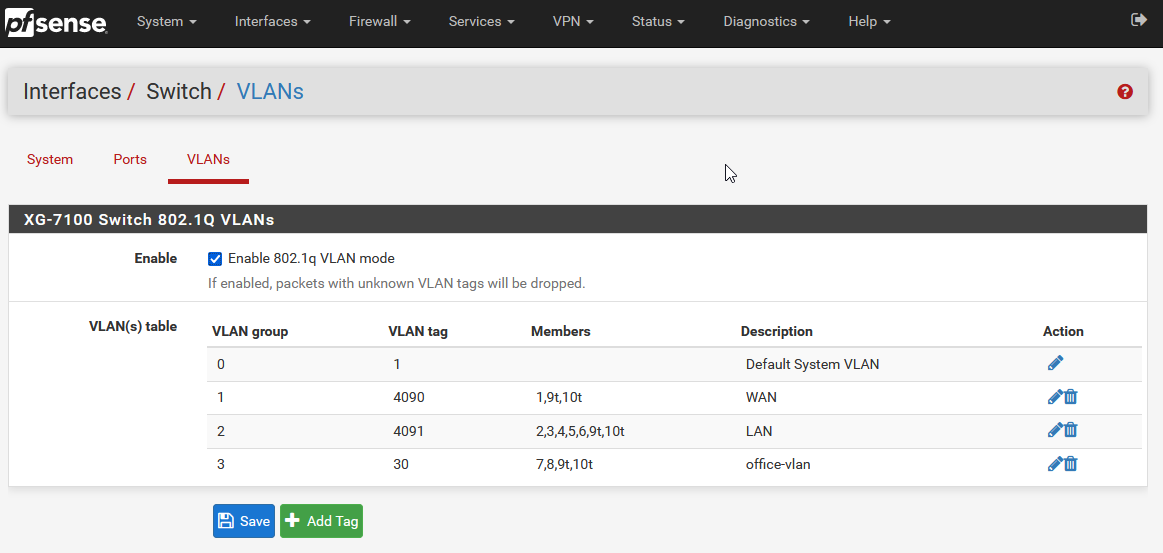
However when I connect to port 7 or 8 I do not get any IP address. I have done this at least 10 times. Not sure what I'm doing wrong. I haven't even configured any FW rules either.
I'm completely stuck.
-
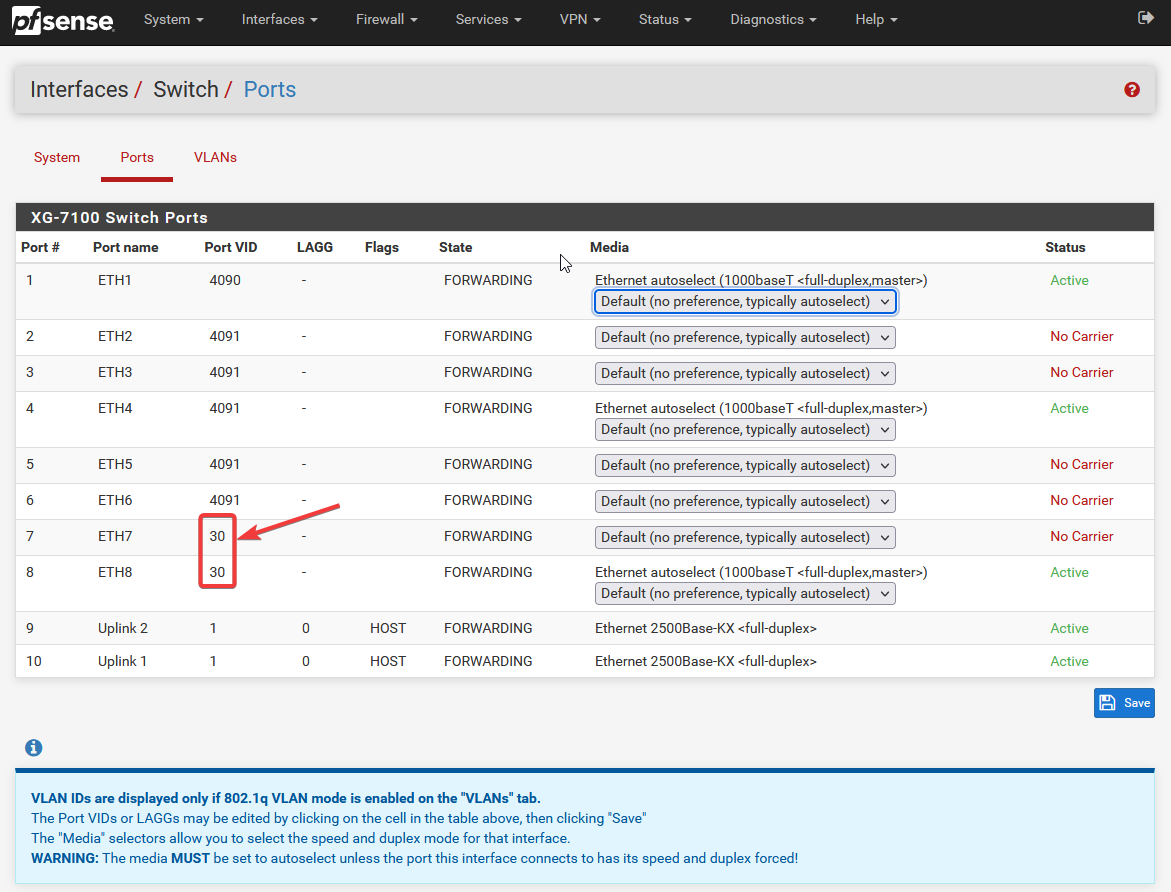
I have figured out the issue. I am going to leave the solution here if someone is facing the similar issue.
You have to change the VLAN id in under the switch ports. The numbers look like they cannot be edited. But if you click on them, they become a text box. I figured it out from this video. https://www.youtube.com/watch?v=NgRy14rYhV8
Hello! It looks like you're interested in this conversation, but you don't have an account yet.
Getting fed up of having to scroll through the same posts each visit? When you register for an account, you'll always come back to exactly where you were before, and choose to be notified of new replies (either via email, or push notification). You'll also be able to save bookmarks and upvote posts to show your appreciation to other community members.
With your input, this post could be even better 💗
Register LoginPrivacy Policy · Cookie Policy