Can't block IPs - must be missing something
-
My laptop in on the 192.168.10.0 subnet (LAN). I have put in a pfsense firewall rule to block access to 192.168.10.99. Yet I can still ping and browse to it. Am I missing something?
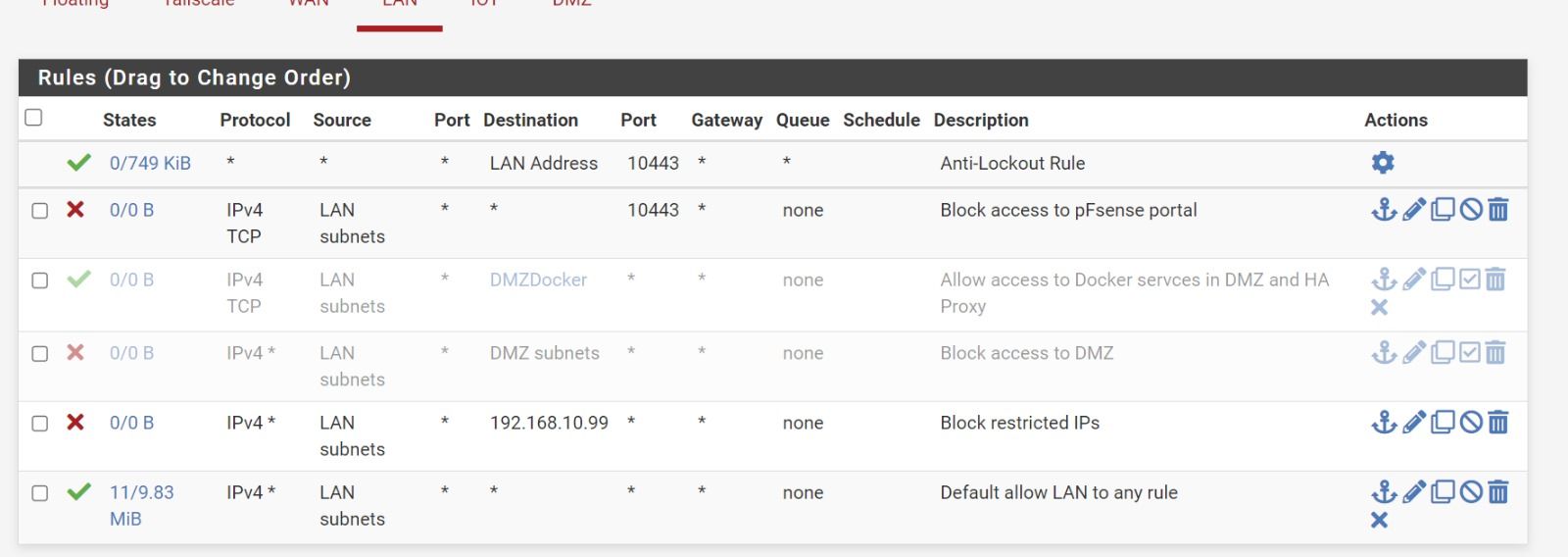
I have no floating rules.
-
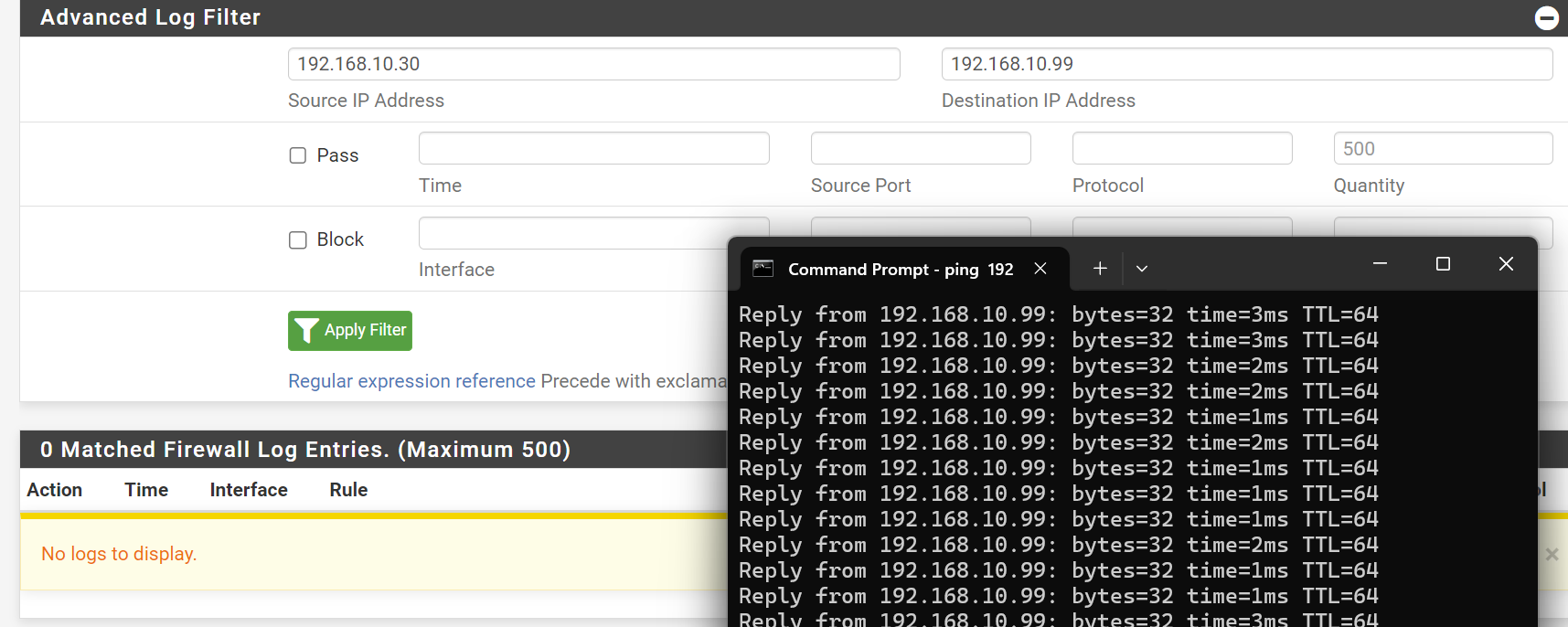
Enabled logging on the only allow rule (except for the Anti-lockout rule) and can't even see the allow traffic
-
@Zululander said in Can't block IPs - must be missing something:
192.168.10.99
It looks like 192.168.10.99 is on the same subnet as your laptop. So traffic not going trough the router/firewall.
-
@Zululander said in Can't block IPs - must be missing something:
My laptop in on the 192.168.10.0 subnet (LAN). I have put in a pfsense firewall rule to block access to 192.168.10.99. Yet I can still ping and browse to it. Am I missing something?
I have no floating rules.
Traffic on the same subnet never needs to traverse the firewall. Those two devices simply directly contact each other through the Ethernet switch's backplane (port-to-port). Each client sees that the address of the other machine is in the same IP netblock, so they simply issue an ARP to ask which MAC address has IP address 192.168.10.xxx and then send packets directly to each other bypassing the firewall.
The firewall never sees the traffic at all since it will not be directed at the firewall's MAC address. The only time the firewall would get the traffic is if the destination IP address was in a different subnet and the traffic needs to be "routed" to the other network. When clients need to send data to an IP address that is not within their subnet, they hand that traffic off to their designated default gateway. In your case, that would be the firewall most likely.
-
Thanks all; this makes sense.
I will put the restricted IPs into another VLAN and on their own subnet and go from there :)
Reading online I could apparently achieve same subnet blocking if I used pFsense in Bridge mode but VLANning seems to make more sense to me.
-
@Zululander said in Can't block IPs - must be missing something:
Reading online I could apparently achieve same subnet blocking if I used pFsense in Bridge mode but VLANning seems to make more sense to me.
Generally the use of bridges should be avoided if at all possible. They can introduce other weird issues besides being a bit of a CPU burden in high traffic conditions. A dedicated Ethernet switch can do the job much better. Use VLANs or some other dedicated interface port on the firewall if you want to segregate traffic.

Hello! It looks like you're interested in this conversation, but you don't have an account yet.
Getting fed up of having to scroll through the same posts each visit? When you register for an account, you'll always come back to exactly where you were before, and choose to be notified of new replies (either via email, or push notification). You'll also be able to save bookmarks and upvote posts to show your appreciation to other community members.
With your input, this post could be even better 💗
Register LoginPrivacy Policy · Cookie Policy