PfBlocker and Paramount +
-
Besides excluding a roku/Shield from PfBlocker has anyone been able to define all the whitelist items for playback to work properly?
-
With excluding you mean adding the IP of the device here :
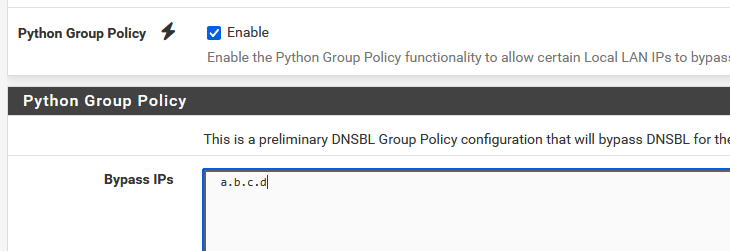
?
Be ware that adding a policy like that has side effects.
Like : when the device asks for host name to be resolved, like an add server, this host name will now be avaible ... for all your LAN devices, as it's now part of the resolver's cache.If a white list would exist, I would use it into a black list ^^
The thing is : Paramount employees read this forum as well, so the list wouldn't age very well / becomes useless in a short time.If you use DNSBL to blocks "to much", use the device, and track all the block requests from the device, and use the black round + button to white list them.
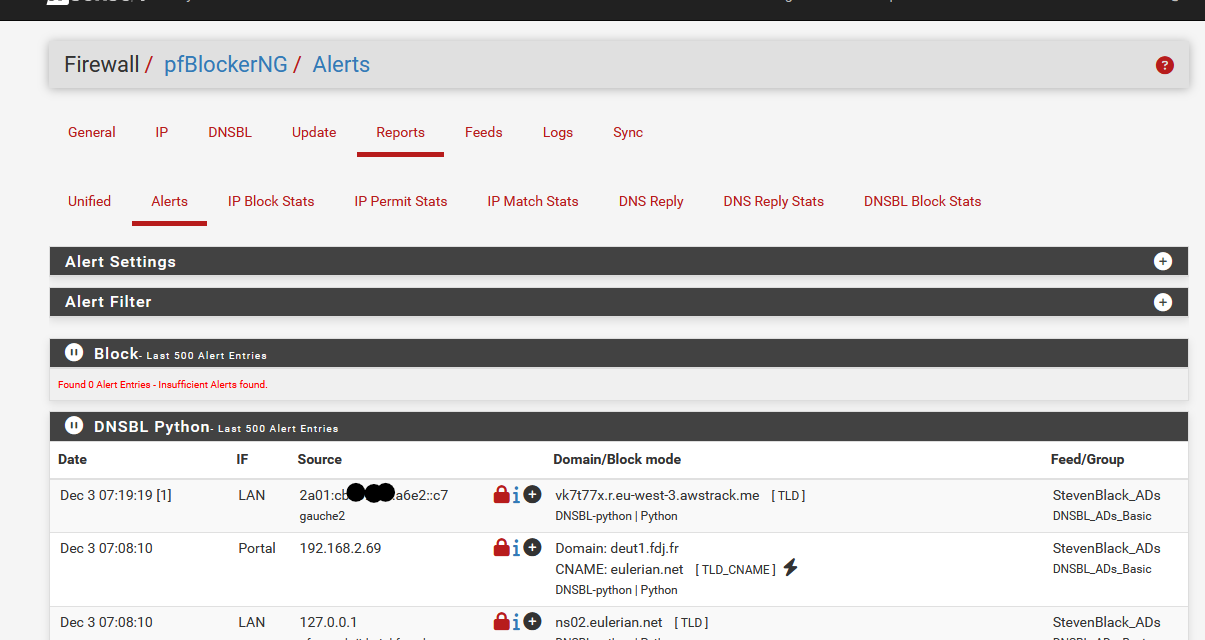
Ones a host name is white listed, it will be whitelist for all your LAN network devices.
-
Correct on excluding the IP as that is the only place I know where to do it is in the Python Group Policy.
Can you expand on - Like : when the device asks for host name to be resolved, like an add server, this host name will now be avaible ... for all your LAN devices, as it's now part of the resolver's cache.
Ones a host name is white listed, it will be whitelist for all your LAN network devices. Correct and this is why I wish a knew of a way to just do exclusions for a single device.
-
Not sure what you're struggling with, but I was having Disney+ issues at my home. Could not visit the website, no devices would connect. If I used cell data, I could login to their website, but from the home I'd get a "Try again later" message.
I called Disney tech support, explained what was happening. He asked for my WAN IP and zip code, once I provided that, all my problems disappeared. They had some sort of locational block on my account for some reason.
-
@cburbs said in PfBlocker and Paramount +:
exclusions for a single device
Unbound has "views" but I've generally used it to block access for one device, to override DNS. In that case in Custom Options in unbound/DNS Resolver settings, one would put:
server:
access-control-view: 10.1.1.4/32 blockyoutube

view:
name: "blockyoutube"
view-first: yes
local-data: "youtube.com. 900 IN A 127.0.0.2"
local-data: "www.youtube.com. 900 IN A 127.0.0.2"
Perhaps you can find a way to forward or resolve correctly for the specified IP.