Cannot access webui: web ui is not supported in VSX mode
-
Newbie question:
I installed pfsense vm (2.4.4-p3) in esxi and it seems to have both wan and lan interface configured. I tried to access the webui from the LAN side at https://192.168.1.1 (from another VM) and got an error "web ui is not supported in VSX mode. Please use Clish for OS configuration".
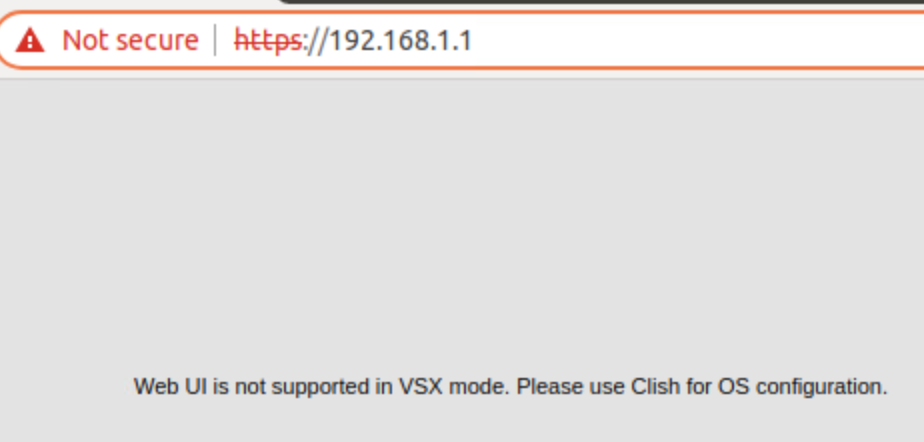
nc -zv 192.168.1.1 443 (from LAN side) is working. All the LAN side VM can also obtained DHCP ip from pfsense. I have also restarted the webconfigurator.
The vm console shows this
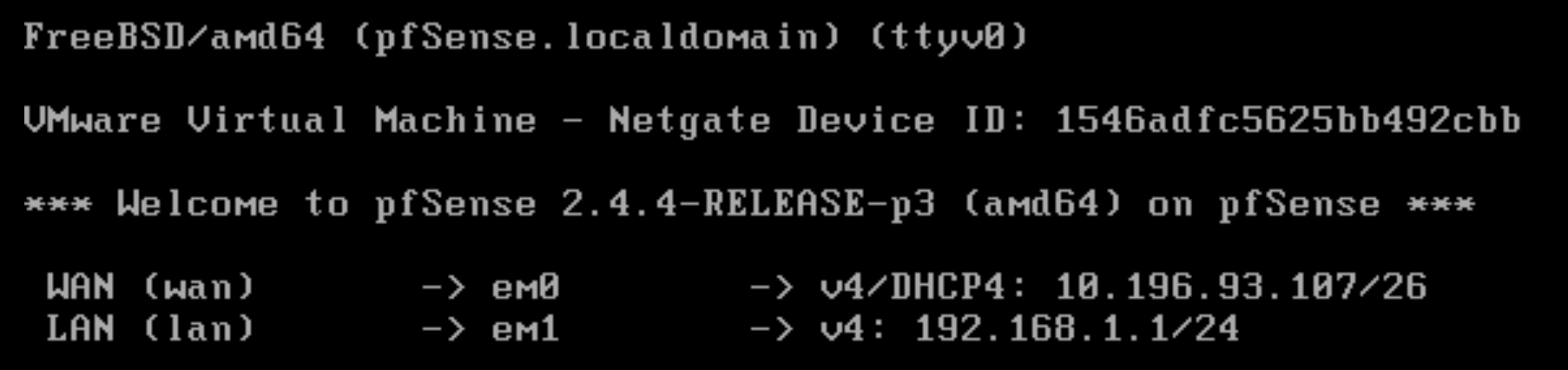
My goal is to use pfsense as a NAT/FW for my internal network (192.168.1.1/24) to access external WAN (10.196.93.107/26)
-
you must have something else with the same ip, that message does not come from pfsense, googled it around and that lead to some arubaOs or checkpoint switch or idk
-
You are correct. I looked at the the system.log and it is complaining about another 192.168.1.1 with a different mac. I workaround the problem by using 10.x.x.x instead for LAN

Hello! It looks like you're interested in this conversation, but you don't have an account yet.
Getting fed up of having to scroll through the same posts each visit? When you register for an account, you'll always come back to exactly where you were before, and choose to be notified of new replies (either via email, or push notification). You'll also be able to save bookmarks and upvote posts to show your appreciation to other community members.
With your input, this post could be even better 💗
Register LoginPrivacy Policy · Cookie Policy