Netgate Discussion Forum
    • Categories
    • Recent
    • Tags
    • Popular
    • Users
    • Search
    • Register
    • Login
    Introducing Netgate Nexus: Multi-Instance Management at Your Fingertips.

    How Use Aliases ?

    Scheduled Pinned Locked Moved pfBlockerNG
    8 Posts 2 Posters 1.8k Views 2 Watching
    Loading More Posts
    • Oldest to Newest
    • Newest to Oldest
    • Most Votes
    Reply
    • Reply as topic
    Log in to reply
    This topic has been deleted. Only users with topic management privileges can see it.
    • N Offline
      netfly
      last edited by

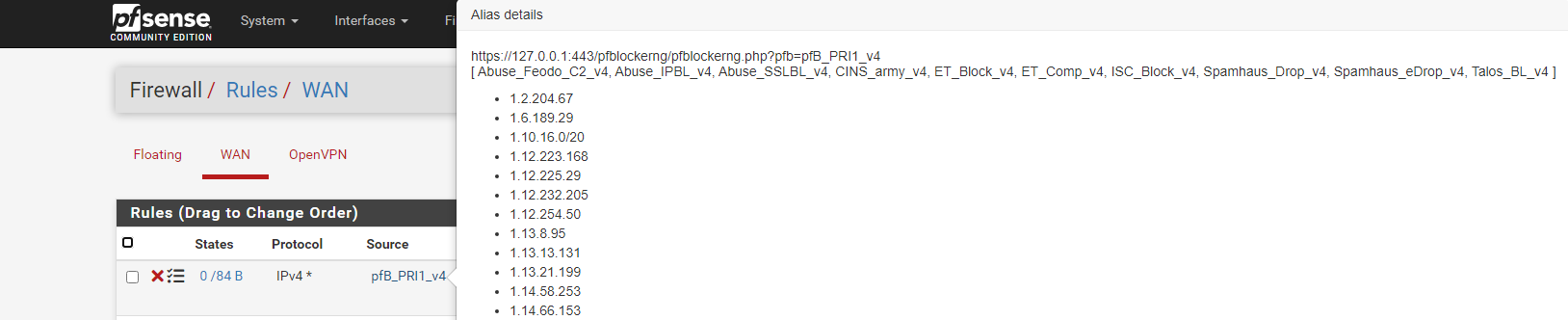
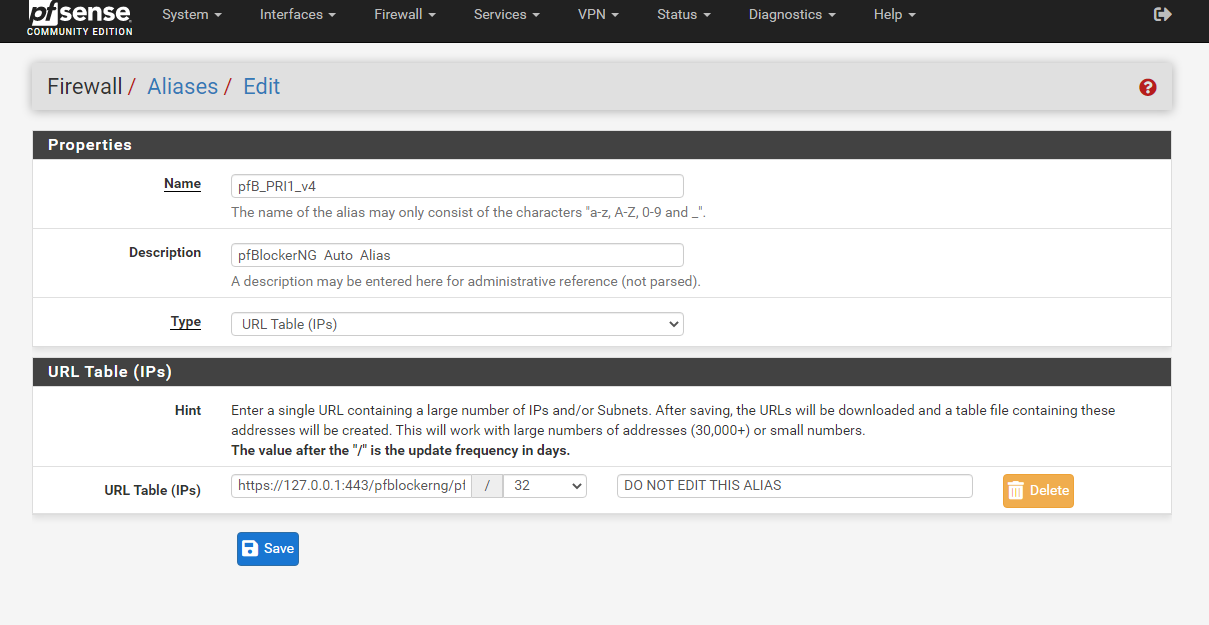
      hello, I want to use aliases of pfblockerNG but I already uninstalled it... does anyone know where I can download this list?
      8063a4a9-1357-4c7f-b4fc-f35c54882e42-image.png

      Thank You.

      SteveITSS 1 Reply Last reply Reply Quote 0
      • SteveITSS Offline
        SteveITS Galactic Empire @netfly
        last edited by

        @netfly The PRI# aliases are made up of selected feeds for each PRI# in pfBlockerNG. So you'd have to know which feeds were enabled. On the feeds page the Header/URL column is the raw URL of the feed. So, temporarily reinstalling pfBlocker is probably the easiest way to get your answer. "Keep settings" upon uninstall is checked by default so it should just show them.

        To upgrade, select your branch in System/Update/Update Settings. When upgrading, allow 10-15 minutes to reboot, or more depending on packages, CPU, and/or disk speed.
        Only install packages for your version of pfSense.
        Upvote 👍 helpful posts!

        N 1 Reply Last reply Reply Quote 0
        • N Offline
          netfly @SteveITS
          last edited by netfly

          @steveits said in How Use Aliases ?:

          The PRI# aliases are made up of selected feeds for each PRI# in pfBlockerNG. So you'd have to know which feeds were enabled. On the feeds page the Header/URL column is the raw URL of the feed. So, temporarily reinstalling pfBlocker is probably the easiest way to get your answer. "Keep settings" upon uninstall is checked by default so it should just show them.

          ok
          2e4ca14c-b0ab-41e1-8803-ddce037433ec-image.png

          a94c88a9-c3f6-4158-8e25-95873cf4e577-image.png

          1a313ef5-109c-44bb-a9f2-5415e16f9f7c-image.png

          Update.

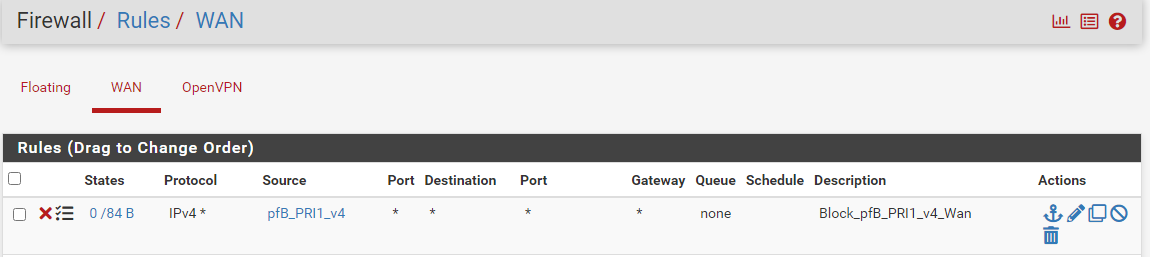
          On This server, the rule still works, but I want to move this same ip list to another server.

          somehow?

          SteveITSS 1 Reply Last reply Reply Quote 0
          • SteveITSS Offline
            SteveITS Galactic Empire @netfly
            last edited by

            @netfly You could just install pfBlocker on the new router, don't enable DNSBL, and check to enable those feeds?

            Otherwise the lists are the names in [brackets], you can search for each online to find a URL. For instance Spamhaus' are on the left of the page at https://www.spamhaus.org/drop/

            To upgrade, select your branch in System/Update/Update Settings. When upgrading, allow 10-15 minutes to reboot, or more depending on packages, CPU, and/or disk speed.
            Only install packages for your version of pfSense.
            Upvote 👍 helpful posts!

            N 1 Reply Last reply Reply Quote 0
            • N Offline
              netfly @SteveITS
              last edited by

              @steveits ok, this is exactly what i don't want, i don't want to have to go to my servers 1 by 1 add a package and then have to uninstall it.

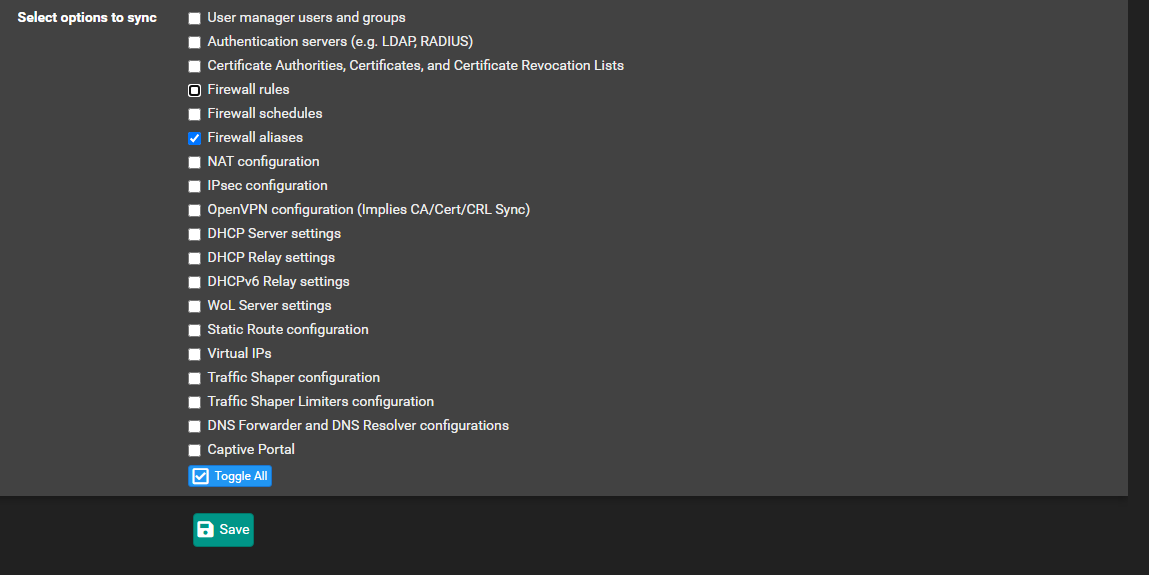
              look this option could work?
              6f3e1239-c63c-42af-8e09-3569f34ba7c2-image.png

              SteveITSS 1 Reply Last reply Reply Quote 0
              • SteveITSS Offline
                SteveITS Galactic Empire @netfly
                last edited by

                @netfly That's the configuration sync? That will make all routers have the same alias list as the main router. Just make sure that's what you want.

                I don't understand why you wouldn't just leave pfBlocker installed and let it update the lists/aliases? It just seems like you're reinventing the wheel. :) I have no idea if pfSense can successfully pull in all the feeds itself or if pfBlocker has to process them, I've never tried.

                To upgrade, select your branch in System/Update/Update Settings. When upgrading, allow 10-15 minutes to reboot, or more depending on packages, CPU, and/or disk speed.
                Only install packages for your version of pfSense.
                Upvote 👍 helpful posts!

                N 1 Reply Last reply Reply Quote 0
                • N Offline
                  netfly @SteveITS
                  last edited by netfly

                  @steveits said in How Use Aliases ?:

                  That's the configuration sync? That will make all routers have the same alias list as the main router. Just make sure that's what you want.
                  I don't understand why you wouldn't just leave pfBlocker installed and let it update the lists/aliases? It just seems like you're reinventing the wheel. :) I have no idea if pfSense can successfully pull in all the feeds itself or if pfBlocker has to process them, I've never tried.

                  Ok, The idea is to run rules with your list alias but not run your service to save system resource.

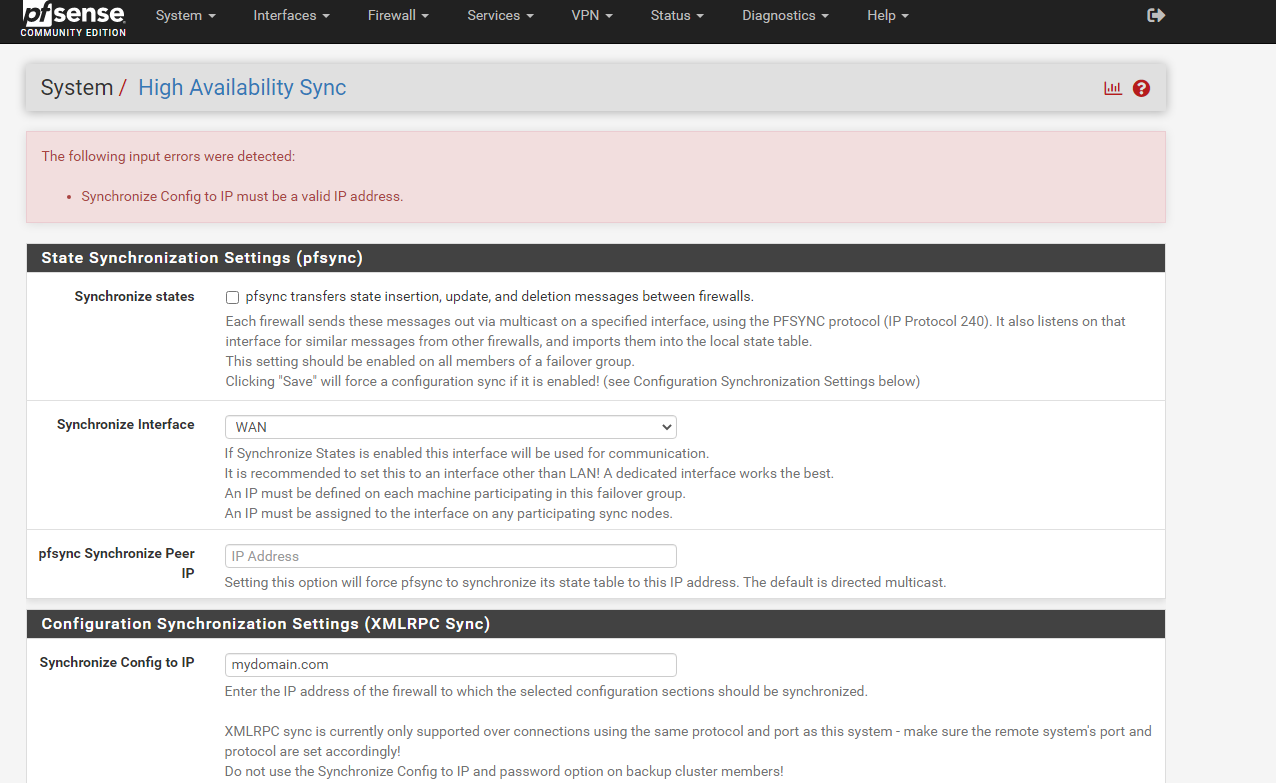
                  another problem I can not put the domain of my server here.
                  eaac6d6b-2432-4fd6-9c08-ea393ba8eab0-image.png

                  SteveITSS 1 Reply Last reply Reply Quote 0
                  • SteveITSS Offline
                    SteveITS Galactic Empire @netfly
                    last edited by

                    @netfly If the DNS block list is not enabled I don't think pfBlocker really does anything except update its feeds based on the update timer.

                    To upgrade, select your branch in System/Update/Update Settings. When upgrading, allow 10-15 minutes to reboot, or more depending on packages, CPU, and/or disk speed.
                    Only install packages for your version of pfSense.
                    Upvote 👍 helpful posts!

                    1 Reply Last reply Reply Quote 0
                    • First post
                      Last post
                    Copyright 2026 Rubicon Communications LLC (Netgate). All rights reserved.
                    Privacy Policy · Cookie Policy