Netgate Discussion Forum
    • Categories
    • Recent
    • Tags
    • Popular
    • Search
    • Register
    • Login
    Introducing Netgate Nexus: Multi-Instance Management at Your Fingertips.

    Alias not being created automatically when using "Alias Permit".

    Scheduled Pinned Locked Moved pfBlockerNG
    7 Posts 2 Posters 1.8k Views 2 Watching
    Loading More Posts
    • Oldest to Newest
    • Newest to Oldest
    • Most Votes
    Reply
    • Reply as topic
    Log in to reply
    This topic has been deleted. Only users with topic management privileges can see it.
    • P
      paul2019
      last edited by

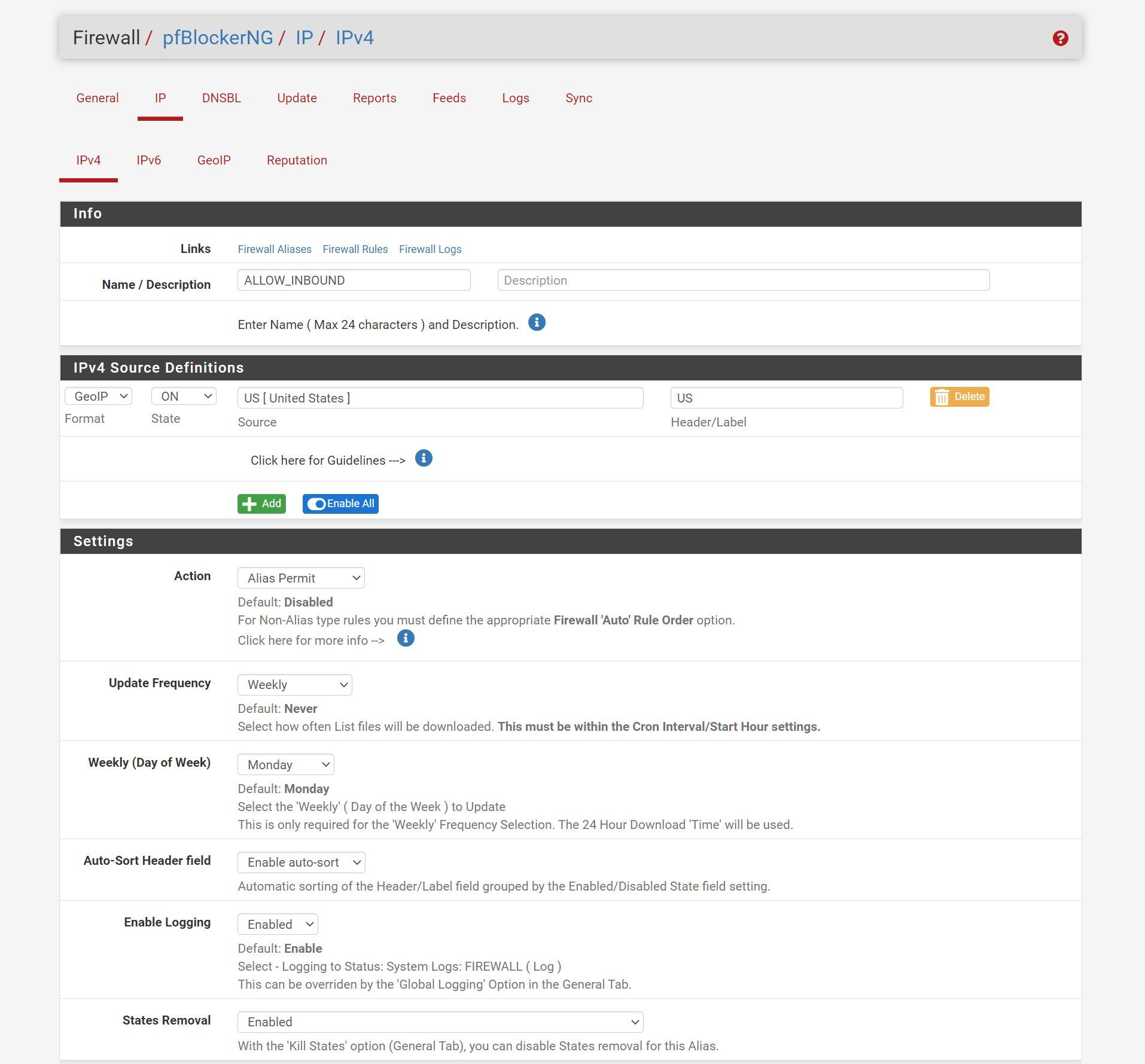
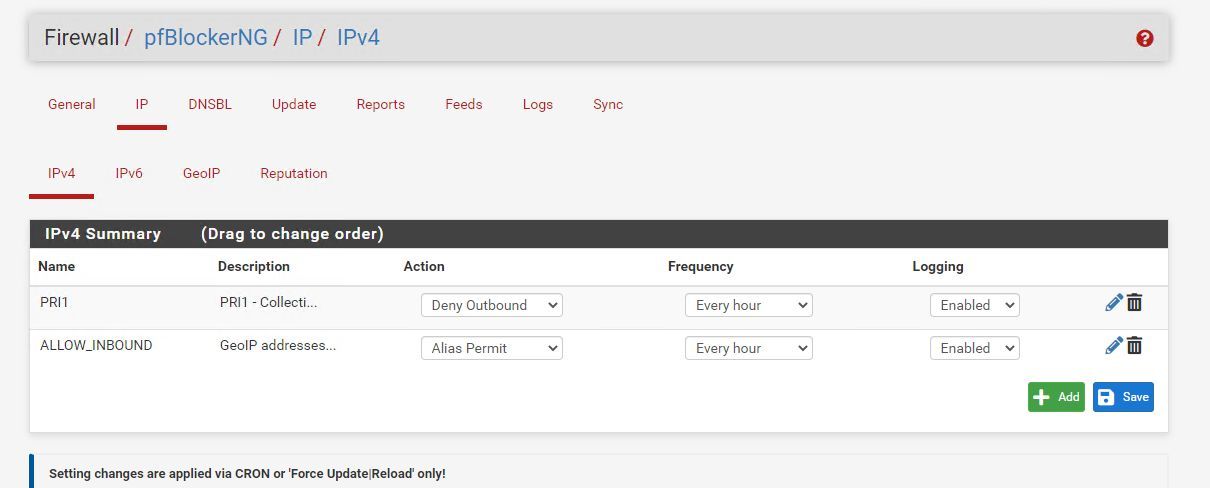
      I've created a list under IP->IPv4 and set it to "Alias Permit", the source definition is a GeoIP list for the USA ip addresses geo list.

      I save it, update and reload pfblockerng, expecting the alias will be created automatically so I can use it in the firewall rules to allow incoming traffic from those IP Address.

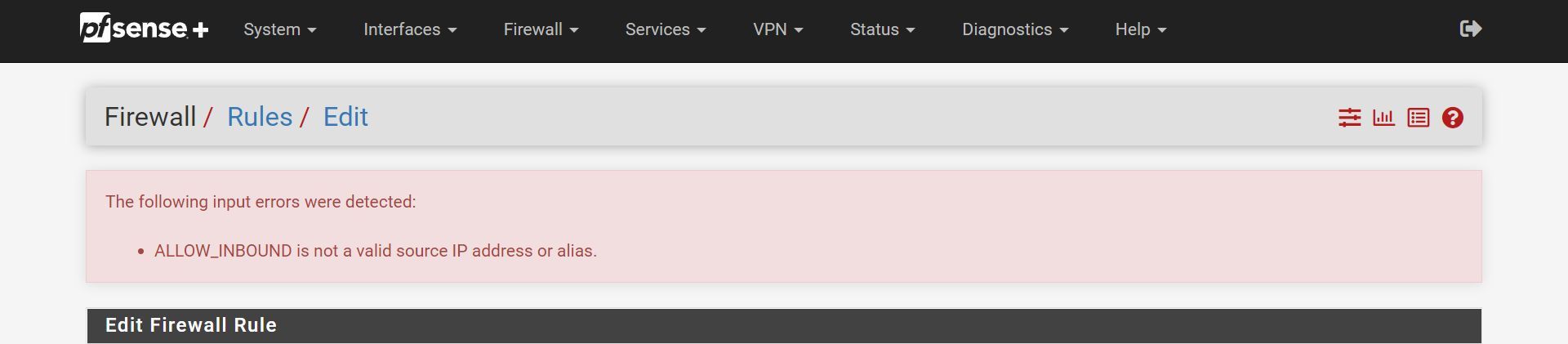
      When setting up a firewall rule that alias is not there....

      By looking at the screenshots bellow, what I am doing wrong here?

      pf01.png I've created a list under IP->IPv4 and set it to "Alias Permit", the source definition is a GeoIP list for the USA ip addresses geo list.

      I save it, update and reload pfblockerng.

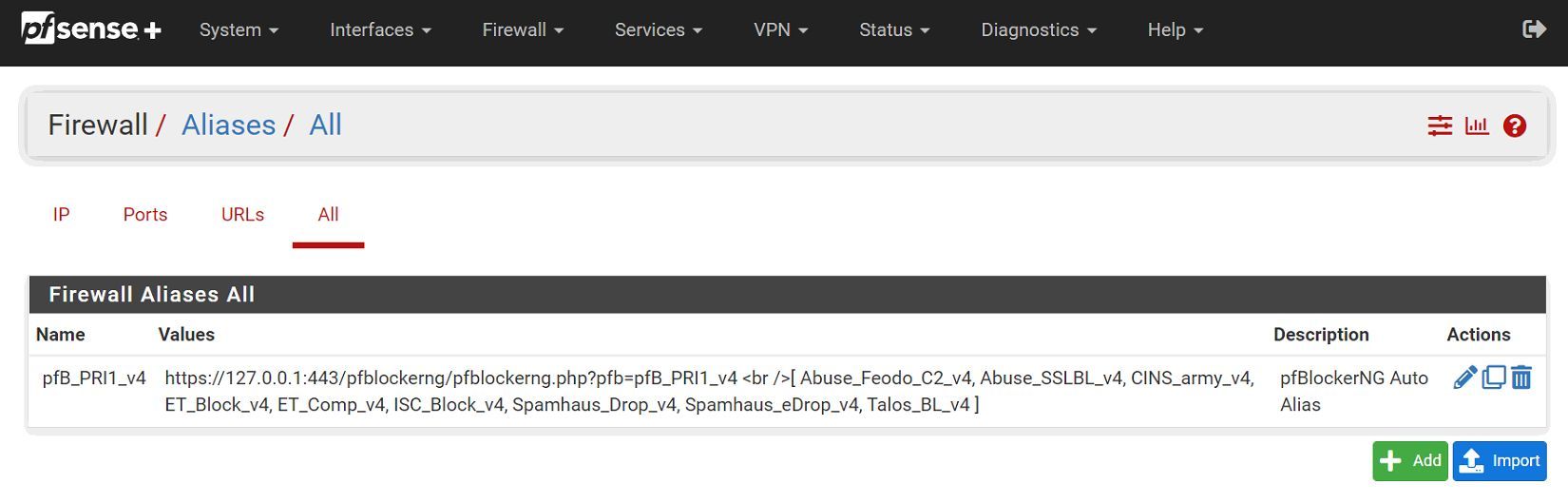
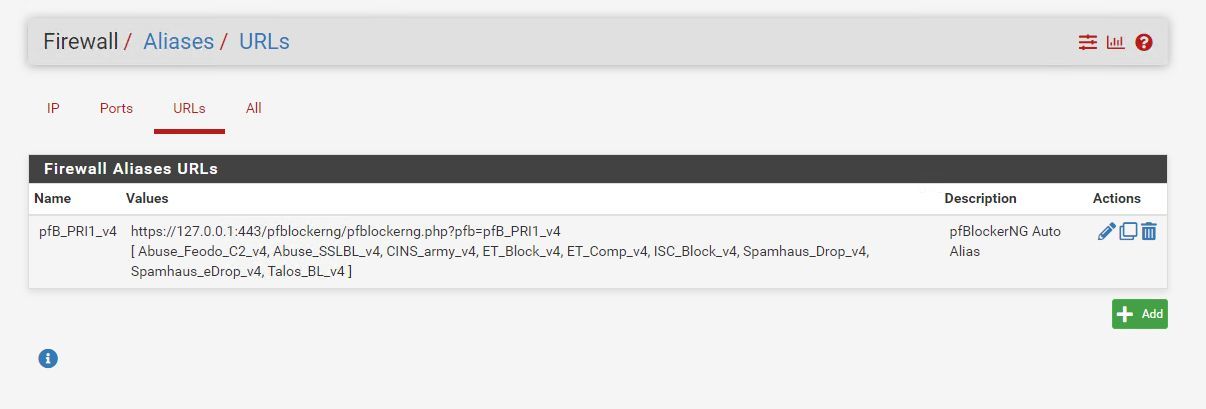
      When I go to portforwarding I want certain ports to be forwarded to a local ip only for the address in that alias, but the alias is not there to be selected when I start typing. I can confirm under Aliases that it's being created and I don't know how to do that manually.

      By looking at the screenshots bellow, what I am doing wrong here?
      pf01.jpg

      pf02.jpg

      pf03.jpg

      P 1 Reply Last reply
      Reply Quote 0
      • P
        paul2019 @paul2019
        last edited by

        @paul2019 Never mind, out of a sudden the alias got created now 🤔

        P 1 Reply Last reply
        Reply Quote 0
        • P
          paul2019 @paul2019
          last edited by

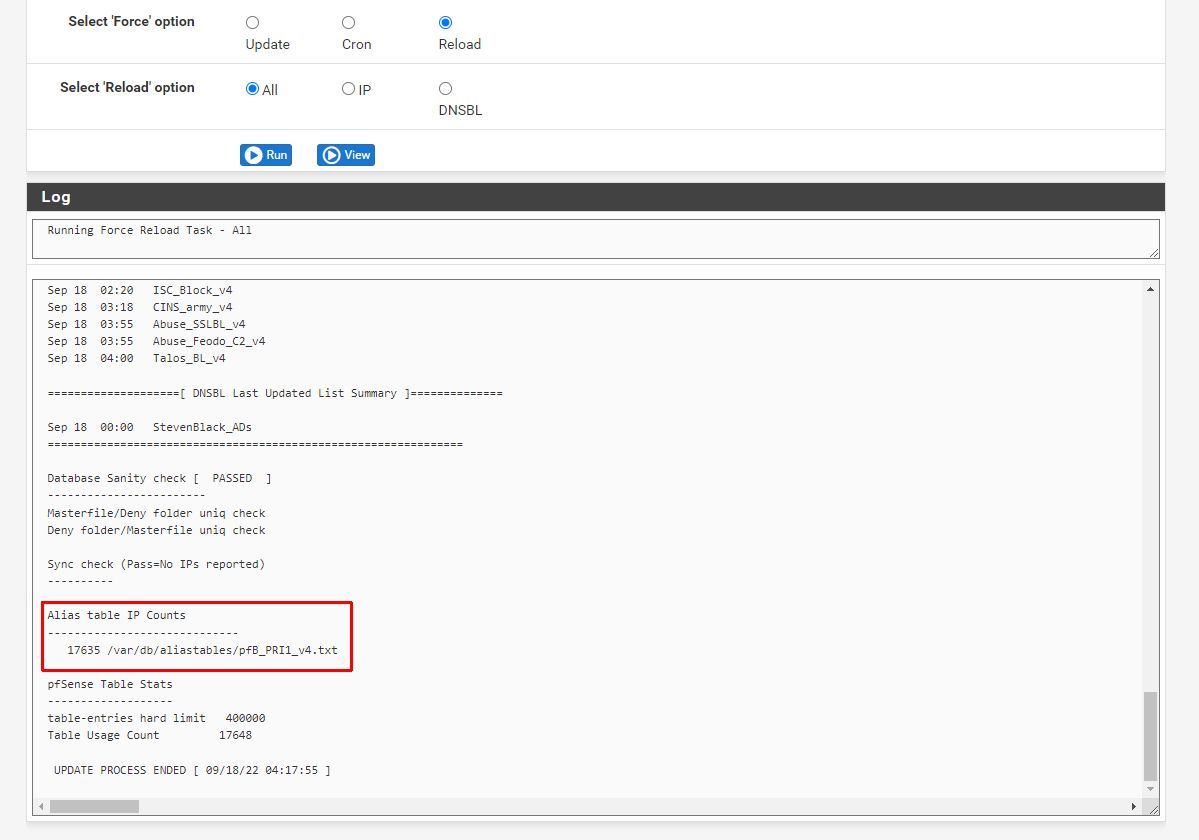
          Interesting enough I had to setup another box and the same thing happened, pfblockerng is not creating the alias when I force reload it, tried to reboot and force reloading still no luck, any ideas?
          01.jpg

          02.jpg

          03.jpg

          SteveITSS 1 Reply Last reply
          Reply Quote 0
          • SteveITSS
            SteveITS Galactic Empire @paul2019
            last edited by

            @paul2019 Try Force Update instead.

            To upgrade, select your branch in System/Update/Update Settings. When upgrading, allow 10-15 minutes to reboot, or more depending on packages, CPU, and/or disk speed.
            Only install packages for your version of pfSense.
            Upvote 👍 helpful posts!

            P 1 Reply Last reply
            Reply Quote 0
            • P
              paul2019 @SteveITS
              last edited by

              @steveits said in Alias not being created automatically when using "Alias Permit".:

              @paul2019 Try Force Update instead.

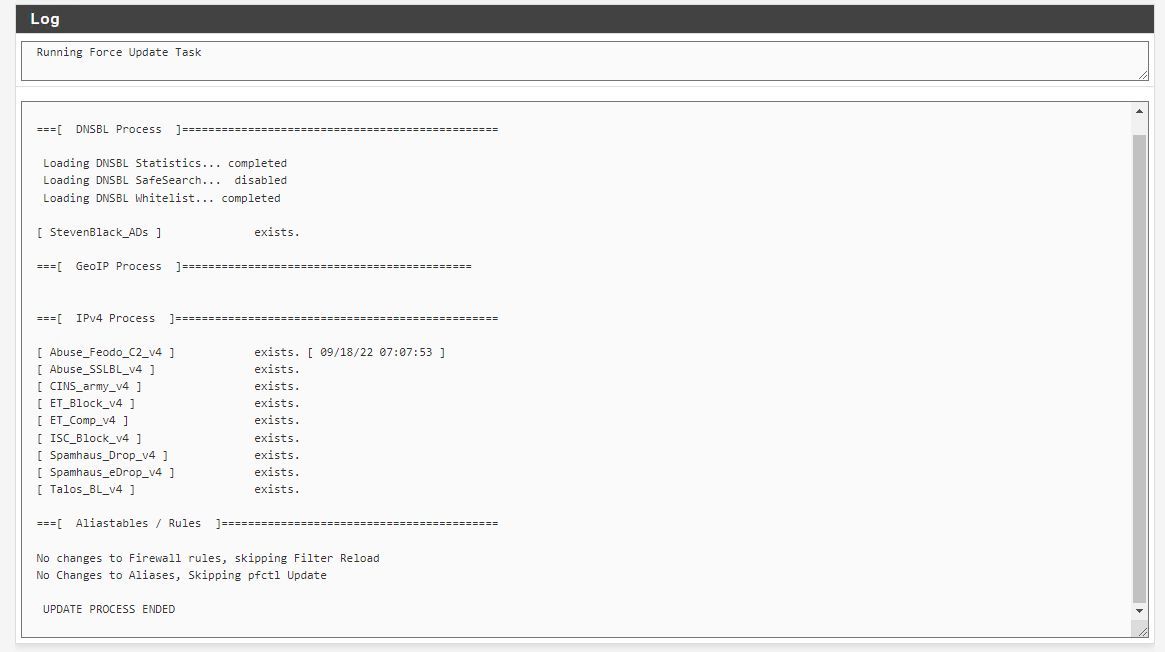
              Did that, unfortunately it still refuses to create the alias 🤔
              04.jpg

              SteveITSS 1 Reply Last reply
              Reply Quote 0
              • SteveITSS
                SteveITS Galactic Empire @paul2019
                last edited by

                @paul2019 Hmm, not sure. I always use Alias Native which just creates the alias and I can create my own rules.

                To upgrade, select your branch in System/Update/Update Settings. When upgrading, allow 10-15 minutes to reboot, or more depending on packages, CPU, and/or disk speed.
                Only install packages for your version of pfSense.
                Upvote 👍 helpful posts!

                P 1 Reply Last reply
                Reply Quote 0
                • P
                  paul2019 @SteveITS
                  last edited by paul2019

                  @steveits Yeah this is very screwed up, last time I had this issue a few days ago setting up another unit, it simply worked later out of nothing...

                  1 Reply Last reply
                  Reply Quote 0

                  Hello! It looks like you're interested in this conversation, but you don't have an account yet.

                  Getting fed up of having to scroll through the same posts each visit? When you register for an account, you'll always come back to exactly where you were before, and choose to be notified of new replies (either via email, or push notification). You'll also be able to save bookmarks and upvote posts to show your appreciation to other community members.

                  With your input, this post could be even better 💗

                  Register Login
                  • First post
                    Last post
                  Copyright 2026 Rubicon Communications LLC (Netgate). All rights reserved.
                  Privacy Policy · Cookie Policy