Netgate Discussion Forum
    • Categories
    • Recent
    • Tags
    • Popular
    • Users
    • Search
    • Register
    • Login
    Introducing Netgate Nexus: Multi-Instance Management at Your Fingertips.

    Logs show incorrect time/date information

    Scheduled Pinned Locked Moved General pfSense Questions
    5 Posts 3 Posters 3.0k Views 3 Watching
    Loading More Posts
    • Oldest to Newest
    • Newest to Oldest
    • Most Votes
    Reply
    • Reply as topic
    Log in to reply
    This topic has been deleted. Only users with topic management privileges can see it.
    • E Offline
      ekloc
      last edited by

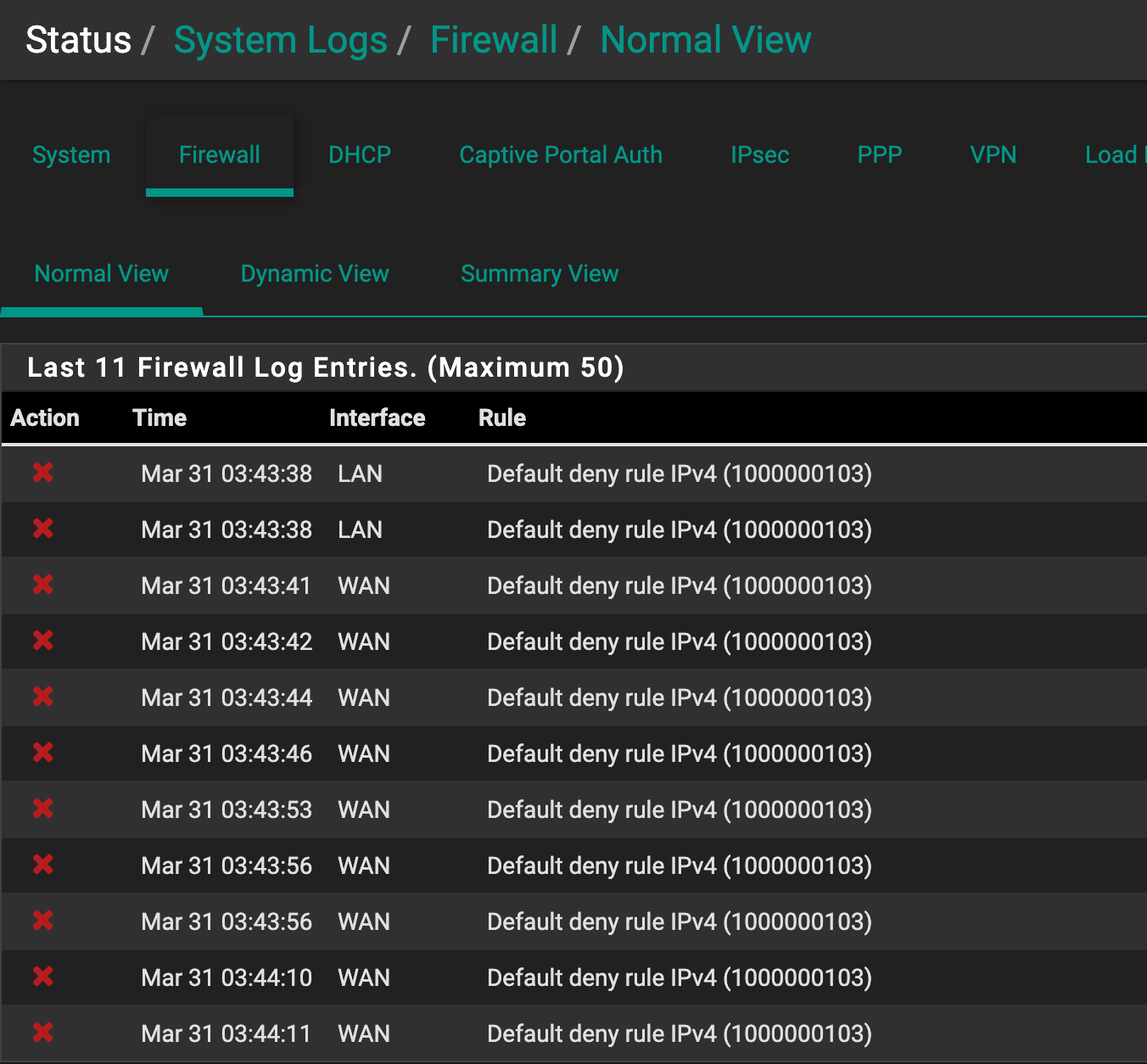
      I'm a new user of pfSense. So far so good, but I'm trying to figure out one little bug I'm seeing. My system time is showing correctly however when I check my logs for various services I'm setting up I see entries in the future - how can I fix it? Your help would be much appreciated!
      Screen Shot 2020-03-30 at 11.44.08 PM.png Screen Shot 2020-03-30 at 11.44.59 PM.png

      1 Reply Last reply Reply Quote 0
      • GertjanG Offline
        Gertjan
        last edited by Gertjan

        In the future ?
        Isn't is just you running behind the clock ;)

        It's March 31 - 09:23 Paris Time, that will be 07:23 London or universal time right now.

        Check you logs with the real time, UTC, not your local time - are they correct then ?

        How did you set these :
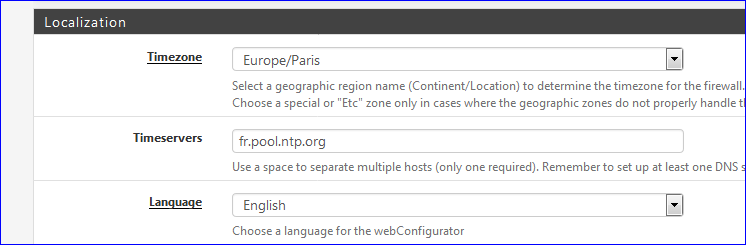
        8fe13cd6-deb2-4edb-845a-5e53a9537a26-image.png

        No "help me" PM's please. Use the forum, the community will thank you.

        E 1 Reply Last reply Reply Quote 0
        • E Offline
          ekloc @Gertjan
          last edited by ekloc

          @Gertjan Thank you for your reply! I often run behind the clock ;) but my pfsense shows current time correctly - on main page it displays correct time but logs show timestamps few hours in the future. My local settings are shown below:
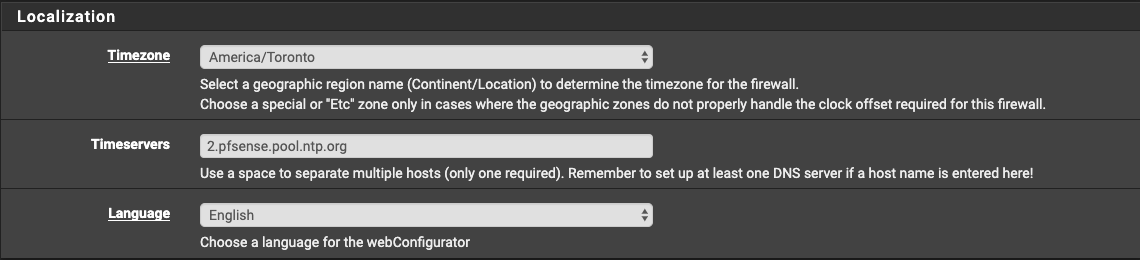
          Screen Shot 2020-03-31 at 9.40.00 AM.png

          1 Reply Last reply Reply Quote 0
          • SteveITSS Offline
            SteveITS Galactic Empire
            last edited by

            In general, being off by some multiple of 1 hour generally points to time zone. By comparison being off by 14 minutes is usually not. :) Wild guess but try restarting to ensure all services are using the set time zone? Not sure about pfSense but I seem to recall some servers where the service has to restart to pick up the new time zone.

            To upgrade, select your branch in System/Update/Update Settings. When upgrading, allow 10-15 minutes to reboot, or more depending on packages, CPU, and/or disk speed.
            Only install packages for your version of pfSense.
            Upvote 👍 helpful posts!

            1 Reply Last reply Reply Quote 0
            • E Offline
              ekloc
              last edited by

              @teamits, thank you - firewall reboot helped!

              1 Reply Last reply Reply Quote 0
              • First post
                Last post
              Copyright 2026 Rubicon Communications LLC (Netgate). All rights reserved.
              Privacy Policy · Cookie Policy