Re-installing SG-1100 via the Console
-
After getting self-assigned IP address on my SG-1100 I'm trying to re-install the firmware on it. I did not reset the device before having issues with it.
I tried numerous times to interrupt the boot process without any luck.
On a Windows laptop after booting up my SG-1100 with a USB stick I run PuTTY to COM3. At the end of the PuTTY window I see the following.
Netgate pfSense Plus 22.05-release arm64 (date)
Bootup Complete
FreeSBD/arm64 (Pfsense.localdomain) (ttyu0)
Login
I am able to successfully login.
At the command prompt it says
(22.05-RELEASE) (username@pfSense.localdomain) /home/usernameWhat can I do to re-install the software from the command prompt?
-
Out of our docs: Reinstalling pfSense Plus Software
-
@rcoleman-netgate Thank you. In the docs I don't see any guidance on what to do when I'm at the command prompt based on my circumstance.
-
@pctrailrunner That is not a normal prompt.
Please use the link in my signature to request the current image and use that to re-image your 1100.
Can you tell me where you got the file that is on your 1100? What was the file name used to write the image?
-
@rcoleman-netgate Thank you for your help.
After clicking on your signature I didn't see a place to request the current image. Is it proper to insert the image link that was sent to me in a future reply? -
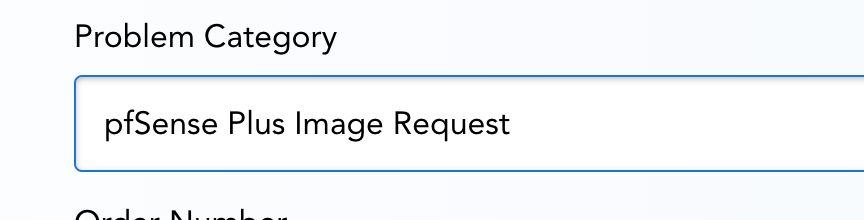
@pctrailrunner "pfSense Plus Image Request"
-
@rcoleman-netgate Submitted. Thank you.
Hello! It looks like you're interested in this conversation, but you don't have an account yet.
Getting fed up of having to scroll through the same posts each visit? When you register for an account, you'll always come back to exactly where you were before, and choose to be notified of new replies (either via email, or push notification). You'll also be able to save bookmarks and upvote posts to show your appreciation to other community members.
With your input, this post could be even better 💗
Register LoginPrivacy Policy · Cookie Policy