Resizing dashboard
-
Re: Is there a way to resize dashboard?
tried to resize the triple column window but no devilish luck.... too much blank space tween columns
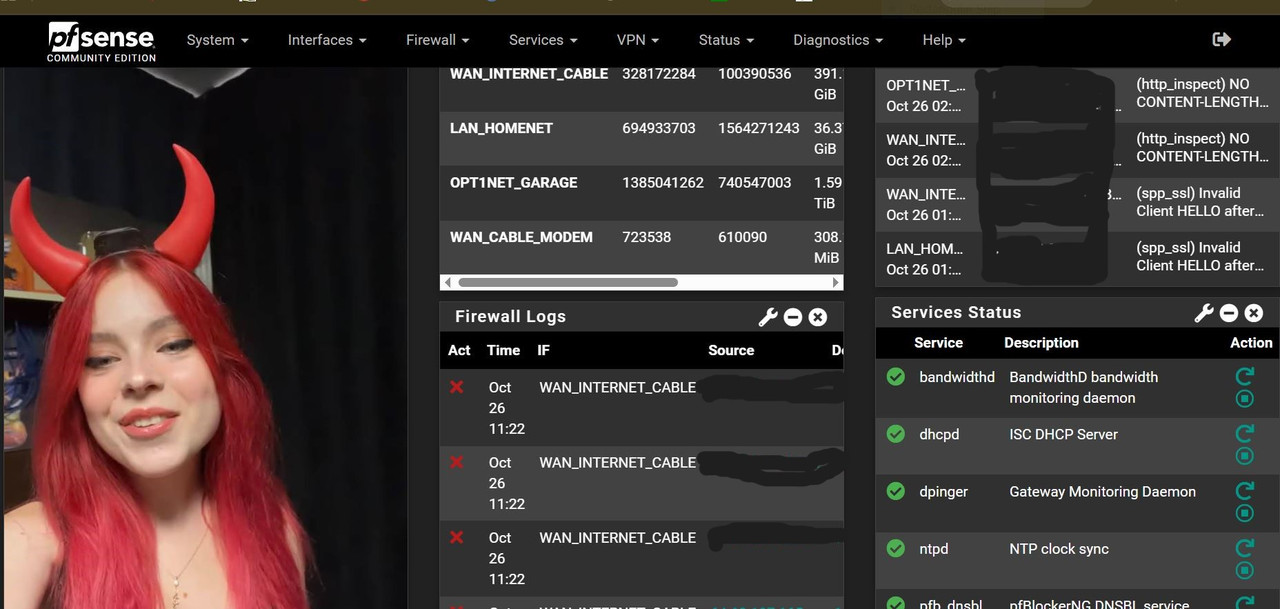
-
There isn't a GUI-click-here to change the GUI web server html output, but a manuel method exist.
The good old 'html' (css) editing.First, get the name of the Theme used : System> General Setup :

Then, go here : /usr/local/www/css/ and you'll find the css files for every theme. You'll find the theme file used.
Use your browser, the html inspection mode, to find what css 'thing' you have to modify.
You'll find that 'thing' in the css file, apply (try ^^) changes. The 'width' setting can be reproduced a bit, or you could change the font size smaller.Be aware : whatever you change, this suff is used everywhere in the GUI.
Make a copy of the file you edit. -
Thanks that's great I'll try that right away , oh happy partying https://www.youtube.com/watch?v=HkoJd1yGvik

Hello! It looks like you're interested in this conversation, but you don't have an account yet.
Getting fed up of having to scroll through the same posts each visit? When you register for an account, you'll always come back to exactly where you were before, and choose to be notified of new replies (either via email, or push notification). You'll also be able to save bookmarks and upvote posts to show your appreciation to other community members.
With your input, this post could be even better 💗
Register LoginPrivacy Policy · Cookie Policy