• H.323 Video Conference Codec behind PFSense *Guide / Explanation*

    Pinned Locked
    3
    0 Votes
    3 Posts
    30k Views
    D
    Long story short, to use H.323 behind a pfsense firewall, one needs to enable static-port NAT. Unfortunately neither H.323 nor SIP were designed with NAT in mind, in which case one needs either an ALG (which btw is part of Linux's netfilter since many years, but apparently missing from baseline pf/FreeBSD) or a NAT device that won't rewrite ports (a solution that will work if you only have one such device). Edit: Note that SIP software has been improved in recent years, and most recent implementations can work through NAT without a need for ALG or static ports, but it's still something one has to keep in mind when troubleshooting SIP issues.
  • Port Forward Troubleshooting

    Pinned Locked
    1
    3 Votes
    1 Posts
    33k Views
    No one has replied
  • SMB on WAN not working

    9
    0 Votes
    9 Posts
    148 Views
    johnpozJ
    @AndyRH said in SMB on WAN not working: Sometimes young is not trips around the sun, but time with a thing Exactly ;) Notice I said maybe you are too young to remember, sure that could be your actual age, or it could be how long you been in the IT game.. If you been in the game awhile you would clearly remember all the smb issues from back in the day ;) If you new then your too young to remember it ;)
  • ICMPv6 protocol missing from outbound NAT rule creation

    7
    1
    0 Votes
    7 Posts
    112 Views
    tinfoilmattT
    Just updating this thread for posterity—to confirm that "no nat" is the only way (and probably the only correct way) to resolve this leaking of a private WireGuard interface address. This did not work: nat on $WAN inet6 proto icmp from [WAN interface link-local]/128 to [ISP interface link-local]/128 -> [ISP interface link-local]/128 nat on $WAN inet from any to any -> [WireGuard interface address] port 1024:65535 nat on $WAN inet6 from any to any -> [WireGuard interface address] port 1024:65535 There's a mismatch there between "inet6" and "icmp". This may work if "icmp6" was available via the webConfigurator's NAT rule configuration "Protocol" dropdown: nat on $WAN inet6 proto icmp6 from [WAN interface link-local]/128 to [ISP interface link-local]/128 -> [ISP interface link-local]/128 nat on $WAN inet from any to any -> [WireGuard interface address] port 1024:65535 nat on $WAN inet6 from any to any -> [WireGuard interface address] port 1024:65535 But I've had to settle for this: no nat on $WAN inet6 from [WAN interface link-local]/128 to [ISP interface link-local]/128 no nat on $WAN inet6 proto udp from [WAN interface link-local]/128 port 546 to ff02::1:2/128 port 547 nat on $WAN inet from any to any -> [WireGuard interface address] port 1024:65535 nat on $WAN inet6 from any to any -> [WireGuard interface address] port 1024:65535 (Note that I also needed to add a "no nat" rule to preserve DHCPv6 functionality.)
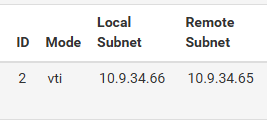
  • ipsec vti with custom outbound nat bug?

    2
    5
    0 Votes
    2 Posts
    165 Views
    G
    any help with this?
  • Network to network NAT

    3
    0 Votes
    3 Posts
    1k Views
    E
    Yeah, 1:1 NAT isn't quite right here—it's for mapping public IPs to privates. What you want is source NAT (SNAT) or outbound NAT on your router/firewall (pfSense, OPNsense, etc.) for the surveillance subnet. Here's the deal: Cameras often ignore "foreign" subnet traffic. SNAT makes your management PC's requests appear from a local IP on the camera subnet (like your router's iface IP, e.g., 10.1.1.1). Camera sees "local" traffic and responds happily. Did this on my setup Reolink cams on isolated VLAN wouldn't talk cross-subnet. Added outbound NAT rule on cam interface: boom, access from main LAN via camera IPs. No camera config changes needed. Virtual IP forwarding works too (proxy ARP), but SNAT's simpler. Test routing first (ping with no NAT). YMMV if cameras hardcode super-strict checks.
  • 0 Votes
    3 Posts
    137 Views
    getcomG
    @netblues Yes, you are right, the default is unchecked. We checked that setting on several pfsense appliances and in some cases we found two of them with disabled firewall scrub. It is possible that there was another issue with that setting in the past.
  • Inbound NAT - L2TP Tunnel traffic not working

    5
    0 Votes
    5 Posts
    164 Views
    M
    So I had multiple issues, DNS been one so my alias were not working which in turn broke the NAT's. Also an alias ended up corrupting something as it had made it self too big taking the config file over 2500 lines once and I believe there is a 750 line limit. After some 30 hours of looking at this I am now working with thanks to various topics online I got there.
  • PFSENSE OUTBOUNT NAT ISSUE (NO INTERNET FROM LAN)

    14
    6
    0 Votes
    14 Posts
    454 Views
    luckman212L
    Cloud router was blocking traffic between cloud private networks. What exactly is "Cloud router" ? Did you not know such a thing was sitting in between your hosts when you started the troubleshooting?
  • Forwarding SMTP traffic from LAN interface address to other LAN address

    3
    0 Votes
    3 Posts
    115 Views
    johnpozJ
    @webminster so users/devices point to an IP to send mail? Why would you not just use some fqdn, now if you want to move the server it's a single change of the dns record to what the new IP is.
  • 0 Votes
    4 Posts
    177 Views
    F
    @tinfoilmatt @SteveITS Funny, its solved. I needed to reinstall 2.8.1 on new hardware anyway, imported my config. Guess what, its working now without any other changes.
  • 0 Votes
    1 Posts
    149 Views
    No one has replied
  • Triple firewall set-up. Accessing through aggregate firewall.

    2
    0 Votes
    2 Posts
    206 Views
    A
    Hey Guys, Cancel request, problem solved. Solved all with port forwarding.
  • Updated tutorial for NAT66/NPt Your Private IPv6 similar to IPv4

    9
    0 Votes
    9 Posts
    1k Views
    M
    @sysxtreme That's perfectly fine, I just mentioned in case the AI changed the context of your statements, you don't have to be good at something to make a difference either, your english is perfectly fine. Yes so one of the most fantastic use cases for NAT is translating a subnet to multiple subnets port forwarding and load balancing from the upstream/wans becomes a very easy task. You certainly do not get more than a single prefix usually the norm really is /48 /56 and they become /64 in some cases you may also only get the one /64 you will get but it's fine with NPt/NAT66 you don't even need more than a single IPv6 for most use cases let alone more than a single /64. I would not waste time trying to complain to your telecommunications agency about this because I would really not expect any government to have provisions for customers to get more than "what they need to be reasonably connected to the internet" in a very purposefully ambiguous language anyway which would allows the ISPs flexibility in how they want to connect their customers, most of the government really will not be able to understand the technical differences between deployment models and so they trust the ISPs to just 'make it work'. Yes you can use OSPF internally (technically also BGP) but the usual OSPF deployment consists of point to point links which facilitate inter-router communication and routing so if you have a complex network you can just route things internally via OSPF/BGP and have NAT66/NPt at the upper end. You can also Tier things: WAN ---NAT66 MIDDLE NET ---NAT66 --NAT66 --NAT66 --NAT66 LAN 1 LAN 2 <OSPF> LAN3 <OSPF> LAN4 In this example your LAN 2/3/4 can route to each other via OSPF point to point links without any need for NAT among them but the middle net cannot access them just a WAN wouldn't due to firewalling and the connectivity to the upstream remains due to NAT+GW in this case the WAN router. LAN 1 remains isolated without routes to 2/3/4 but can see anything you port forward to MIDDLE NET and upstream towards WAN. (you may need to disable reply-to and a few other tweaks for this to work but anyway it's just an example). It can be much much more complex than this but all internal subnets can remain within your local IPv6 ranges you don't even need /64 unless you're using that network for an actual LAN with RA/DHCPv6/SLAAC i personally use /96 more often than /64 because i just want the last 2 hextets anyway to match a /16 IPv4. You can also do NPt to your 'middle net' and from there NAT66 as needed you basically have an internal WAN also route traffic to different uplinks effectively increasing the overall internet speed available to you without causing any internal conflict and maintaining the internal routing structure. Unrelated to your question but to other people out there IPv6 can be either "just work" or better than "just work" it really is up to how much you're willing to spend on engineering and designing and it will pay dividend in the future. Hope it satisfied your curiosity.
  • NAT Reflection Issue w/ LAN Host

    4
    0 Votes
    4 Posts
    495 Views
    J
    @mgc6288 Had an opposite problem. NAT reflection: NAT+proxy -> can access from outside, but not from internal network. Changing NAT reflection to pure NAT solved it. Spent all night debugging. Wrote my post here for the pfsense team to take a look.
  • 0 Votes
    1 Posts
    150 Views
    No one has replied
  • Publishing a remote WireGuard endpoint through pfSense WAN IP

    2
    0 Votes
    2 Posts
    251 Views
    E
    Internet → WAN:8080 → DNAT → 172.16.10.2:80 → SNAT(outbound hibrido o manual ) → 172.16.10.1 → respuesta tunel OK
  • NPt destination prefix UI confusing

    2
    1
    0 Votes
    2 Posts
    232 Views
    M
    WAN/65 -> 41 network id (hex 41 = dec 65) WAN/10 -> 10 network id (hex 10 = dec 16) Typo in the above, I meant: WAN/65 -> 41 network id (hex 41 = dec 65) WAN/16 -> 10 network id (hex 10 = dec 16)
  • Outbound ping problem to DNS Filter servers

    9
    0 Votes
    9 Posts
    700 Views
    S
    @njc :) here’s a couple
  • Why is there an automatic Outbound NAT for ::1/128

    8
    0 Votes
    8 Posts
    5k Views
    johnpozJ
    @luckman212 said in Why is there an automatic Outbound NAT for ::1/128: NAT it to the routable V6 interface IP assigned to my ix0 LAN And why would it do that, you have it set on what your calling wan6 it was adding NAT rules for some site to site WG tunnels that I already had static routes for No it wasn't.. Unless you set it like that.. Example - I have an wg interface, only traffic that gets natted to that is traffic I route out that interface [image: 1763396222121-nat.jpg]
Copyright 2026 Rubicon Communications LLC (Netgate). All rights reserved.