Netgate Discussion Forum
    • Categories
    • Recent
    • Tags
    • Popular
    • Users
    • Search
    • Register
    • Login
    1. Home
    2. Popular
    Introducing Netgate Nexus: Multi-Instance Management at Your Fingertips.
    Log in to post
    • All Time
    • Day
    • Week
    • Month
    • All Topics
    • New Topics
    • Watched Topics
    • Unreplied Topics

    • All categories
    • R

      WebGUI performance related to password hash strength - improved WebGUI speed by lowering hash. Why?

      Watching Ignoring Scheduled Pinned Locked Moved Official Netgate® Hardware
      51
      1 Votes
      51 Posts
      1k Views
      w0wW
      https://forum.netgate.com/topic/200280/dashboard-performance-related-to-the-number-of-widgets
    • C

      need help with TAP OpenVPN Connection Computer Cant Ping network/access it

      Watching Ignoring Scheduled Pinned Locked Moved General pfSense Questions
      66
      0 Votes
      66 Posts
      2k Views
      C
      @stephenw10 ah ok learn something new everyday.. even at my older age , kid at heart but willing to learn new things.. and as for the check box i tried to uncheck save.. recheck it save.. figured maybe just a glitch.. nope still doesnt override the common name with a user name so ill just make sure common name is always a username as i know no one will look at why that is causing an issue as its not a high priority security problem (: least the connection works i just gotta try to get old games of the 90s from DOS games and windows 95-xp days to connect over the Openvpn connection as i cant get my friends to come over like we used to have awesome lan parties hang out in the basement for a week just eating chips pop and having fun for a week at a time.... all before you could online game hiding in your room and never leaving lol.. least i got the main issues worked out... i appreciate all the help so far.. cuz i didnt know half the issues ... when i graduated in 2000 there was a recession for network technicians and network admins too many people in the field,,,id have gone to the usa or over seas at the time so i decided other directions.. so i not as smart as i should been with linux and everything but i appreciate it you helped alot and understand a bunch too.. i appreciate that (:
    • J

      IPv6 connectivity lost on prefix change

      Watching Ignoring Scheduled Pinned Locked Moved IPv6
      73
      0 Votes
      73 Posts
      3k Views
      A
      @JKnott said in IPv6 connectivity lost on prefix change: If Windows fails when other devices work, then it's a Windows "feature". After a quick test this morning, it's interesting. Indeed, android and debian use the new prefix, but I still have to test further to verify (also with the router advertisement interval) interstingly, an iphone is having issues with IPv6 like windows does, I will also need to investigate this further.
    • animrehrmA

      PFSense and Omada Controller as Hotspot

      Watching Ignoring Scheduled Pinned Locked Moved General pfSense Questions
      27
      0 Votes
      27 Posts
      481 Views
      animrehrmA
      @Gertjan said in PFSense and Omada Controller as Hotspot: read quickly over my posts / comments and more important : @EDaleH Alright, I’ll just do this and read it myself. Thank you! @stephenw10 said in PFSense and Omada Controller as Hotspot: You want to lock it or just mark it solved? Hello Admin, I'll just leave the thread open in case others still want to comment on my post. Thank you!
    • C

      How to run DNS Resolver on some interfaces and DNS Forwarder on other (different) interfaces (or map port 53 to a different port)

      Watching Ignoring Scheduled Pinned Locked Moved DHCP and DNS
      22
      0 Votes
      22 Posts
      108 Views
      johnpozJ
      I linked to where I went over how to do this in and old thread, and I even put in quick how to with the details in this thread.. So at a loss to why you are asking @ChrisJenk how he did it.. Its not difficult access-control-view: 192.168.3.0/24 Block view: name: "Block" local-zone: "home.arpa" static local-zone: "168.192.in-addr.arpa." static Put in your own domain and network(s) etc..
    • J

      IPSec Not Following Gateway Group Failover

      Watching Ignoring Scheduled Pinned Locked Moved General pfSense Questions
      22
      0 Votes
      22 Posts
      128 Views
      stephenw10S
      Mmm, 5 mins is a lot longer than I'd expect. I expect it to start trying to connect on the other WAN almost immediately. In which case why does it fail to connect? Is it the ttl on the ddns update?
    • w0wW

      Dashboard performance related to the number of widgets

      Watching Ignoring Scheduled Pinned Locked Moved Official Netgate® Hardware
      21
      0 Votes
      21 Posts
      397 Views
      w0wW
      Some recent versions of the patches Dashboard_cache_patch1 --- /usr/local/www/guiconfig.inc +++ /usr/local/www/guiconfig.inc @@ -31,6 +31,26 @@ header("X-Frame-Options: SAMEORIGIN"); include_once('phpsessionmanager.inc'); include_once("util.inc"); + +// --- FAST DASHBOARD: BACKGROUND SAVER (SMART) --- +function save_dashboard_snapshot() { + if (strpos($_SERVER['SCRIPT_NAME'], 'index.php') !== false && empty($_POST) && !isset($_GET['get_updates_only'])) { + $html = ob_get_contents(); + $is_syncing = (function_exists('is_subsystem_dirty') && is_subsystem_dirty('packagelock')) || file_exists('/conf/needs_package_sync'); + $has_errors = (function_exists('system_has_crash_data') && system_has_crash_data()) || (function_exists('system_has_php_errors') && system_has_php_errors()); + // SECURITY CHECK: Ensure it's a dashboard, logged in, and no critical tasks/errors + if (!empty($html) && strlen($html) > 5000 && strpos($html, 'widgetSequence') !== false && !empty($_SESSION['Username']) && !$is_syncing && !$has_errors) { + @file_put_contents("/tmp/dashboard.cache", $html); + } + } +} + +// Start output buffering and register the shutdown function +if (strpos($_SERVER['SCRIPT_NAME'], 'index.php') !== false && !isset($_GET['get_updates_only'])) { + ob_start(); + register_shutdown_function('save_dashboard_snapshot'); +} +// --- END FAST DASHBOARD --- function pfSense_csrf_callback() { include "csrf_error.php"; Dashboard_cache_patch2 --- /usr/local/www/index.php +++ /usr/local/www/index.php @@ -96,6 +96,51 @@ ## Include each widget php include file. -## These define vars that specify the widget title and title link. - -$directory = "/usr/local/www/widgets/include/"; +## These define vars that specify the widget title and title link. + +// --- FAST DASHBOARD: SMART CACHE LOGIC WITH REFRESH OVERLAY --- +$is_valid_cache = false; + +// 1. Check for critical system alerts before considering cache +$is_syncing = (function_exists('is_subsystem_dirty') && is_subsystem_dirty('packagelock')) || file_exists('/conf/needs_package_sync'); +$has_critical_alerts = (system_has_crash_data() || system_has_php_errors() || $is_syncing); + +// 2. Determine if we should serve the cache (strictly on clean login) +if (!$has_critical_alerts && empty($_POST) && !isset($_GET['get_updates_only']) && !isset($_GET['logout'])) { + if (!empty($_SESSION['Username']) && empty($_SESSION['dashboard_cache_shown'])) { + $is_valid_cache = true; + } +} + +// 3. CACHE KILLER: If saving settings (POST), destroy the old RAM cache +if (!empty($_POST) && !isset($_POST['login'])) { + @unlink("/tmp/dashboard.cache"); + $_SESSION['dashboard_cache_shown'] = true; +} + +// 4. SERVE CACHE +if ($is_valid_cache && file_exists("/tmp/dashboard.cache")) { + $_SESSION['dashboard_cache_shown'] = true; + + // STRICT ANTI-CACHE HEADERS: Prevent browser from caching this output locally + header("Cache-Control: no-store, no-cache, must-revalidate, max-age=0"); + header("Cache-Control: post-check=0, pre-check=0", false); + header("Pragma: no-cache"); + + // Output the static snapshot from RAM + readfile("/tmp/dashboard.cache"); + + // Inject CSS and Debounced JS Tracker + echo "<style id=\"fast-dashboard-css\">\n\t\tbody.fast-dashboard-loading .panel-heading, body.fast-dashboard-loading .panel-body, body.fast-dashboard-loading .panel-footer { filter: blur(4px); opacity: 0.5; pointer-events: none; transition: all 0.4s ease; }\n\t\tbody.fast-dashboard-loading .panel { position: relative; }\n\t\tbody.fast-dashboard-loading .panel::after { content: 'Refreshing...'; position: absolute; top: 50%; left: 50%; transform: translate(-50%, -50%); font-weight: bold; color: #fff; background: rgba(0,0,0,0.6); padding: 5px 12px; border-radius: 4px; z-index: 10; pointer-events: none; transition: opacity 0.4s ease; }\n\t</style>\n\t<script>\n\t\tdocument.body.classList.add('fast-dashboard-loading');\n\t\tsetTimeout(function(){ if (typeof(ajax_update) === 'function') ajax_update(); }, 200);\n\t\tvar removeBlur = function() { document.body.classList.remove('fast-dashboard-loading'); setTimeout(function(){ var el = document.getElementById('fast-dashboard-css'); if(el) el.remove(); }, 500); };\n\t\tvar blurFallback = setTimeout(removeBlur, 5000);\n\t\tdocument.addEventListener('DOMContentLoaded', function() { if (typeof jQuery !== 'undefined') { var ajaxTimer; jQuery(document).ajaxComplete(function() { clearTimeout(ajaxTimer); ajaxTimer = setTimeout(function() { clearTimeout(blurFallback); removeBlur(); }, 400); }); } });\n\t</script>"; + exit; +} else { + // 5. LIVE MODE FALLBACK: Guarantee live mode for normal browsing + if (!empty($_SESSION['Username'])) { + $_SESSION['dashboard_cache_shown'] = true; + } +} +// --- END FAST DASHBOARD --- + +$directory = "/usr/local/www/widgets/include/"; $dirhandle = opendir($directory); $filename = ""; Widgets patches: NTP widget patch --- /usr/local/www/widgets/widgets/ntp_status.widget.php +++ /usr/local/www/widgets/widgets/ntp_status.widget.php @@ -162,9 +162,18 @@ // --------------------- Centralized widget refresh system ------------------------------ // Callback function called by refresh system when data is retrieved - function ntp_callback(s) { - $('[id="ntpstatus"]').prop('innerHTML', s); - } + function ntp_callback(s) { + $('[id="ntpstatus"]').prop('innerHTML', s); + // --- FAST DASHBOARD: NTP CLOCK CACHE FIX --- + jQuery.ajax({ + type: 'HEAD', url: '/index.php', + success: function(d, st, xhr) { + if (typeof ntp_d !== 'undefined') { + ntp_d = convertDateToUTC(new Date(xhr.getResponseHeader('Date')), '<?=date('Z')?>'); + } + } + }); + } // POST data to send via AJAX var postdata = { CARP STATUS widget --- /usr/local/www/widgets/widgets/carp_status.widget.php +++ /usr/local/www/widgets/widgets/carp_status.widget.php @@ -25,12 +25,18 @@ require_once("guiconfig.inc"); require_once("pfsense-utils.inc"); require_once("functions.inc"); require_once("/usr/local/www/widgets/include/carp_status.inc"); -$carp_enabled = get_carp_status(); +$carp_enabled = get_carp_status(); +// --- FAST DASHBOARD: NATIVE CARP AJAX UPDATE --- +if (isset($_REQUEST['updateme'])) { + $carp_enabled = true; // FIX: get_carp_status() returns false during direct AJAX +} else { + echo "<script>\nevents.push(function(){\n\tvar o = new Object();\n\to.name = 'CARP';\n\to.url = '/widgets/widgets/carp_status.widget.php';\n\to.callback = function(s) { jQuery('[id^=\"widget-carp_status\"] .panel-body').html(s); };\n\to.parms = { ajax: 'ajax', updateme: 'yes' };\n\to.freq = 1;\n\tregister_ajax(o);\n});\n</script>"; +} ?> <div class="content"> <table class="table table-striped table-hover"> <thead> <tr> <th><?=gettext("CARP Interface")?></th>
    • U

      25.11.1 Ramdisk seems to have a problem

      Watching Ignoring Scheduled Pinned Locked Moved General pfSense Questions
      21
      2
      0 Votes
      21 Posts
      317 Views
      stephenw10S
      Ah OK! And you had that just entered in the GUI 'custom option' field rather than referencing a local file or similar? If so then, yes, that's far beyond what the config was expected to contain directly like that.
    • M

      Link a Cisco Layer 2 to Pfsense

      Watching Ignoring Scheduled Pinned Locked Moved General pfSense Questions
      20
      3
      0 Votes
      20 Posts
      146 Views
      johnpozJ
      @Mathieu92000 dude talking about this.. You said your device was on port 1.. interface FastEthernet0/1 switchport access vlan 10 switchport mode access There is no way your device getting a 192.168.1 address is connected to that port.. Or the config on that port is not what you showed. if you want a device connected to your switch to get an IP on vlan 10, then it needs to be in a port that is access vlan 10, like your FE0/1 interface. Showing what svi's you have on the switch has zero to do with it. You have g0/1 in trunk with native vlan 1, ie your lan.. So is your device connected to g0/1 or FE0/1 - if you want it in vlan 10 connect it to fe0/1 or change the config on your g0/1 port. g0/1 should be used as your uplink to pfsense, its gig.. your 17 you saying using as uplink is only 100. If you want to connect a device to g0/1 and be on vlan 10, either change that port to access, or change its native vlan to 10 vs 1. But unless your going to run other vlans on that device connected to g0/1 - then that port should be access not trunk. If you were going to run say some VM software on it or something and want to put vms in different vlans then yeah you could live it trunk and setup the vlans in your VM software.
    • C

      Poor inbound (download) IPv6 performance

      Watching Ignoring Scheduled Pinned Locked Moved General pfSense Questions
      20
      0 Votes
      20 Posts
      229 Views
      C
      @w0w yup, very bad routing!
    • S

      Brand New 6100 Will Not Recognize/Link to WAN

      Watching Ignoring Scheduled Pinned Locked Moved Problems Installing or Upgrading pfSense Software
      17
      0 Votes
      17 Posts
      207 Views
      stephenw10S
      Nice.
    • FalklanF

      Homelab Firewall Experiencing Odd Behavior Since Converting Back to CE Build

      Watching Ignoring Scheduled Pinned Locked Moved Hardware
      17
      1
      0 Votes
      17 Posts
      419 Views
      stephenw10S
      Yup I'd be amazed if it was anything but soemthing worn and/or blocked in the cooling system.
    • K

      Askimet Sammfilter

      Watching Ignoring Scheduled Pinned Locked Moved Off-Topic & Non-Support Discussion
      16
      3 Votes
      16 Posts
      176 Views
      stephenw10S
      Yup 8 is the new 5 for marking as ham. Not sure when that changed.
    • JonathanLeeJ

      var/log

      Watching Ignoring Scheduled Pinned Locked Moved General pfSense Questions logging logger
      16
      0 Votes
      16 Posts
      340 Views
      stephenw10S
      They all can be run with ram disks but you need to use care doing so. I have Snort and pfBlocker running with ram disks on a 3100 here and it's fine. But I have selected only a few lists/signatures. Generally Snort and Suricata should not be and that's coming from the packages maintainer.
    • kdmiller61K

      Question on port forward

      Watching Ignoring Scheduled Pinned Locked Moved Routing and Multi WAN
      16
      2
      0 Votes
      16 Posts
      301 Views
      GertjanG
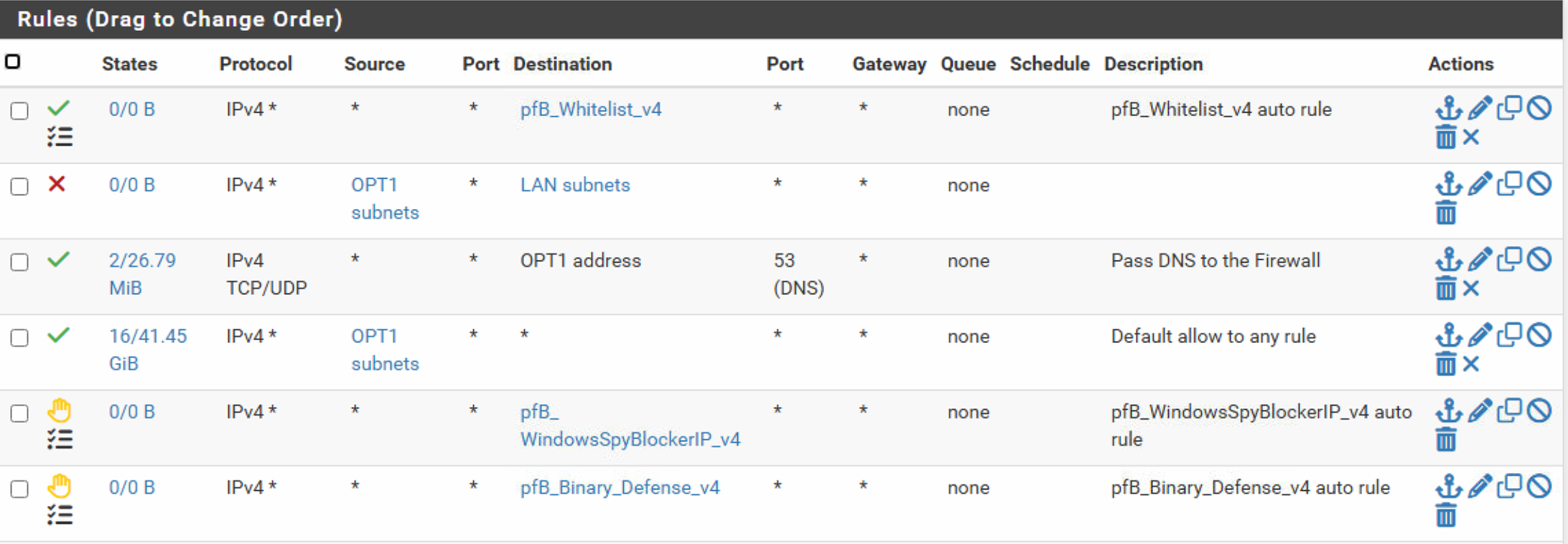
      @kdmiller61 said in Question on port forward: that NAT rule does not work Show the rule it created on the WAN interface. [image: 1771942202408-979af70a-d705-4f5e-916d-c10e827223bd-image.png] The order of these rules is important. If you have a block rule above your firewall (part of a NAT rule) then you've found the issue. Also : look at the green marked stuff : [image: 1771942269057-92427b8d-37a7-4410-aea8-8615f62b60c1-image.png] if a rule matches, the counters start to increment. If they stay at zero : this means the rule did not mach any traffic. This most probably means that the traffic didn't reach the pfSense WAN interface => you can solve the issue upstream (ISP router, other equipment). Your ISP (so you) uses CGNAT : stop looking, that's a game over.
    • B

      How to upgrade from 2.4.5?

      Watching Ignoring Scheduled Pinned Locked Moved Problems Installing or Upgrading pfSense Software
      16
      0 Votes
      16 Posts
      143 Views
      stephenw10S
      Hmm, probably not worth putting more effort in at this point. Reinstalling and restoring will be far faster. 2.8.1 should work fine on that hardware.
    • P

      ANDwatch 2.1 in pfSense 25.11-RELEASE and RAM disk

      Watching Ignoring Scheduled Pinned Locked Moved pfSense Packages
      17
      0 Votes
      17 Posts
      589 Views
      MBehr2M
      @dennypage Thanks - worked like a charm, applied and tested with a reboot. All good now. Was over thinking this and would have pasted the entire 40+ lines of code - even tho only one line changed. Yet another reason not to do what your not sure of LOL Only difference is my Patch ID has a different hex value. I'm gathering it's because I have other patches installed and the system creates this upon install. Again, thanks
    • W

      Assistance adding new pfSense box behind existing home router

      Watching Ignoring Scheduled Pinned Locked Moved General pfSense Questions
      15
      0 Votes
      15 Posts
      227 Views
      johnpozJ
      @Whiskey_Tech you can for sure use interfaces for different networks that have their own connection to the switch. I do this for some of my networks. And then another interface handles some vlans. The vlans on that physical interface normally don't have any intervlan traffic to the other vlans on that physical interface - so no hairpinning of traffic on the same physical interface.. And they are mostly my wireless vlans and don't have use for a full gig anyway, etc..
    • V

      WIFI VLAN to Static IP Server on the LAN

      Watching Ignoring Scheduled Pinned Locked Moved General pfSense Questions
      14
      0 Votes
      14 Posts
      140 Views
      S
      @Vinster A couple comments...Windows ping shows the IP to which it resolved the name. Test connectivity by IP to rule out DNS. Windows does not always use DNS servers in order, it uses a "last known good" method though will revert back to the order after a short time. So using inconsistent DNS will yield inconsistent results over time. If I'm following your comment though, DNS settings on the Unraid server shouldn't affect connectivity to it from other PCs...unless maybe it affects services not starting or something.
    • B

      Netgate 4200 freeze and a possible fix

      Watching Ignoring Scheduled Pinned Locked Moved Hardware
      26
      0 Votes
      26 Posts
      697 Views
      GertjanG
      @belajasmert said in Netgate 4200 freeze and a possible fix: Switch now in place and as expected the system & DNS resolver logs are really quiet This - the LAN interface events : 19:59:13 DOWN 19:59:19 UP 20:01:20 DOWN 20:01:22 UP 20:01:31 DOWN 20:01:34 UP will also trigger other events, like the restart (!) of processes that use this (LAN) interface : The pfSense WebGUI, (nginx), the resolver (unbound), you found that one already, and more, check the main system log for what happens when an interface goes down and up. The solution : you've found it : use a switch. And you can do even better : the upstream WAN device, an ISP router or modem, pfSense itself, and the downstream LAN switch(es), as these are normally all close to each other, hook them up to the same power strip, and use an UPS.